Why Am I a Digital Hoarder? Signs, Causes, and How to Stop
You are most likely a digital hoarder because keeping files costs almost nothing, deleting them requires a decision, and every file carries a small “what if I need this?” fear. Free cloud storage removed the natural limits that once forced people to tidy up, while emotional attachment, perfectionism, and simple decision fatigue made “save it just in case” the default. The good news: it is a habit pattern, and habits can change.
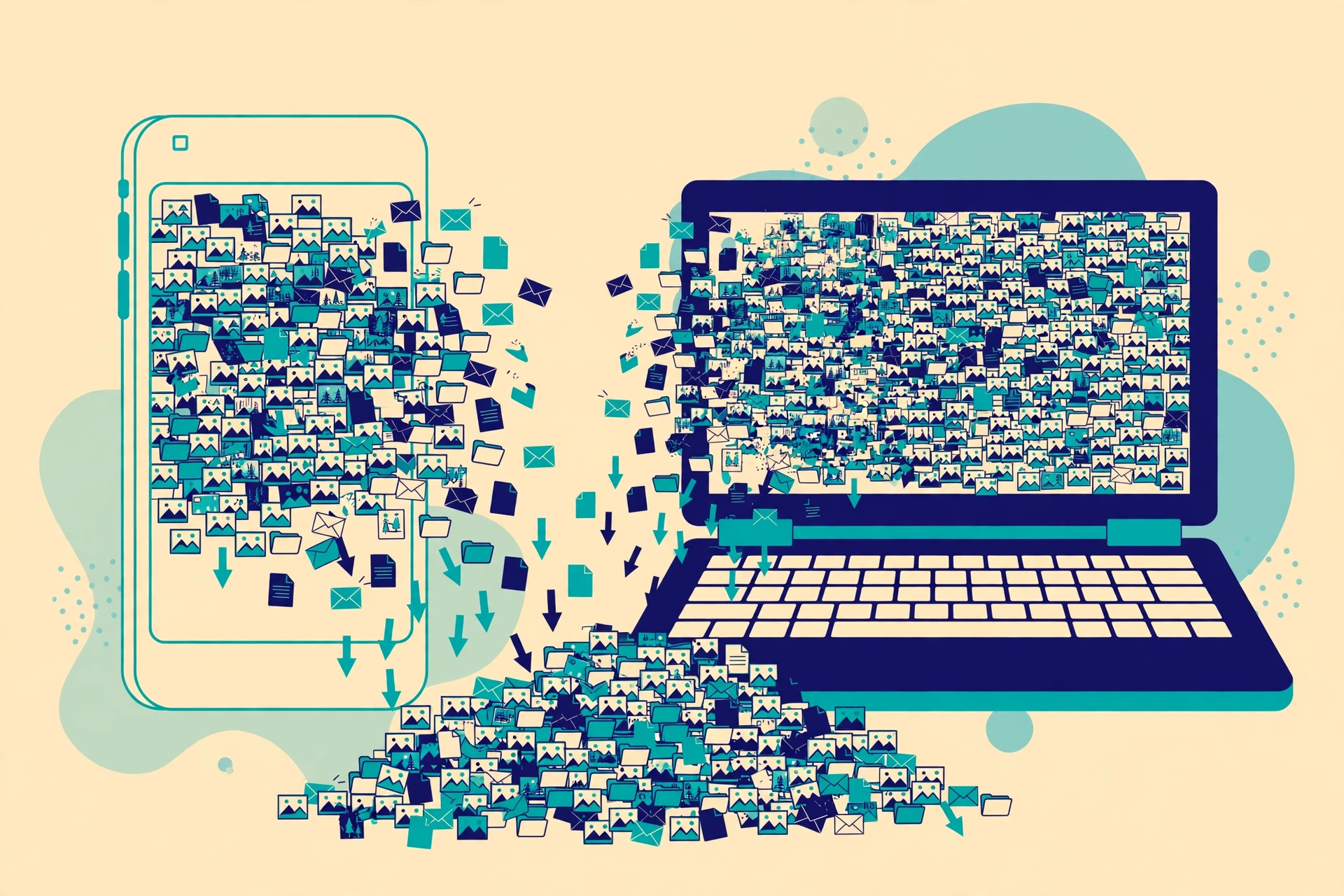
If that answer hit a little close to home, you are not alone, and you are not lazy or disorganized by nature. Digital hoarding has quietly become one of the most common side effects of modern technology. Our phones, laptops, and cloud drives can hold more than any filing cabinet ever could, and because nothing visibly piles up in a corner of the room, the accumulation stays invisible until it starts causing real stress: the storage-full warning, the screenshot you cannot find, the inbox you are afraid to open.
This guide walks through what digital hoarding actually is, how it differs from simply being a collector, the clearest signs to watch for, the psychological causes underneath, and a step-by-step plan to stop. There is also a quick self-check and honest guidance on when outside help is worth considering.
What Is Digital Hoarding?
Digital hoarding is the persistent difficulty deleting digital files — photos, documents, emails, screenshots, downloads, bookmarks, apps, and messages — combined with ongoing accumulation that eventually interferes with everyday life. A digital hoarder does not just have a lot of files. They keep files they know they will probably never open, feel genuine discomfort at the thought of deleting them, and keep acquiring more anyway.
To understand the pattern, it helps to know what digital clutter is in the first place: digital clutter is any digital content that no longer serves a purpose but still takes up space, attention, or both. Digital hoarding is what happens when that clutter stops being an occasional backlog and becomes a compulsion to keep everything, just in case.
Researchers who study the behavior generally describe it with three ingredients:
- Accumulation. Files, photos, tabs, and emails build up faster than they are ever reviewed.
- Difficulty discarding. Deleting feels risky, wasteful, or even distressing, even for obvious junk.
- Impairment. The volume starts to cause real problems: missed emails, full storage, lost documents, embarrassment, or hours lost searching.
That last ingredient matters. A messy Downloads folder is normal. Feeling anxious every time you try to clean it up is the signal that something deeper is going on.
Digital Hoarding vs. Collecting: What Is the Difference?
Not everyone with a large digital library is a hoarder. Collectors also keep a lot — sometimes a very large amount — but collecting and hoarding differ in intent and in how the collection feels.
A collector is selective. They curate: a photographer keeps their best shots organized by project, a music fan builds a library they actually listen to, a researcher archives sources they genuinely reference. The collection is organized, used, and a source of pleasure. Letting go of a duplicate or a dud is easy because the goal is quality.
A digital hoarder keeps by default rather than by choice. The saving is automatic and indiscriminate: every screenshot, every blurry duplicate photo, every email receipt from years ago, every PDF that looked vaguely interesting. The “collection” is rarely revisited, seldom organized, and a source of guilt or low-level stress rather than enjoyment.
A simple test separates the two: if deleting a random ten percent of your files tomorrow would feel fine, you are probably a collector or just behind on tidying. If the thought alone makes your chest tighten, hoarding tendencies are likely at work.
What Are the Signs of Digital Hoarding?
Digital hoarding signs are easy to spot once you know what to look for. Read through the checklist below honestly — most people who ask “why am I a digital hoarder?” recognize themselves in at least half of these.
- Your camera roll has thousands of photos, including duplicates, blurry shots, and screenshots you meant to delete “later.”
- You take multiple photos of the same thing and keep all of them because choosing feels like too much work.
- Your phone or computer regularly warns you that storage is almost full.
- You have files named “final,” “final2,” “final FINAL,” and several versions of the same document because deleting old drafts feels risky.
- Your inbox has thousands of unread emails, and the thought of opening it is stressful.
- You save articles, videos, and posts to “read later” lists you never revisit.
- You have dozens of browser tabs open because closing them feels like losing something.
- You download the same file more than once because finding the original is too hard.
- You keep old devices — phones, laptops, hard drives — partly because they hold files you have never sorted.
- You feel a flash of anxiety, guilt, or regret when you try to delete something, even something trivial.
- You tell yourself storage is cheap, so there is no real reason to delete anything.
- Searching for a specific file takes so long that you often give up or recreate it.
- You avoid backing up or organizing because the scale of the mess feels overwhelming.
- Other people would be surprised — or have commented — on how much you keep.
One or two of these occasionally is just modern life. A pattern of them, especially paired with distress when deleting, is the classic profile of a digital hoarder. These signs show up across all the types of digital clutter — files, email, photos, apps, and accounts — which is why the problem can feel like it is everywhere at once.
Why Do People Hoard Digital Files?
Understanding the causes is not about excuses; it is about choosing the right fix. Most digital hoarding is driven by a handful of overlapping forces.
1. Emotional Attachment and Memory-Keeping
Many files are not really files — they are memories. Screenshots of conversations, photos of people who have moved away, voice notes, tickets, boarding passes from a great trip. Deleting them can feel like deleting the moment itself, or even like a small betrayal of the person in the photo. People who are sentimental, or grieving, or simply far from home, often hold on tighter. The file becomes a stand-in for the experience, and “delete” feels like “forget.”
2. Fear of Losing Information
The dominant thought in digital hoarding is “what if I need this one day?” An old receipt might matter for a warranty. That email thread might be proof of something. That PDF might contain the one paragraph you will want in three years. The fear is not irrational in small doses — sometimes we genuinely do need an old file — but the hoarding brain treats every file as if it were equally likely to become critical, which makes deleting anything feel like a gamble.
3. Decision Fatigue
Every deletion is a small decision: keep or delete, and if keep, where does it go? Modern devices generate decisions by the thousand — a single holiday can produce hundreds of photos. Faced with that volume, the brain takes the path of least resistance: decide nothing. Postponing feels free in the moment, but the backlog grows, and the bigger it gets, the more exhausting the decisions become. It is a self-reinforcing cycle.
4. “Just in Case” Thinking
Closely related to fear of loss, “just in case” thinking inflates the future usefulness of almost everything. A menu from a restaurant in another country, a blurry photo of a whiteboard, an installer for software you no longer use — each gets kept for an imagined future scenario that almost never arrives. The cost of keeping feels like zero, so the imagination wins every argument.
5. The Free Storage Illusion
Physical hoarding eventually runs into a wall — literally. Rooms fill up, and the problem becomes undeniable. Digital storage has no such feedback. Cloud plans are cheap, phones keep getting bigger, and a “storage almost full” warning can be silenced with a small monthly payment. This illusion of infinite space removes every natural forcing function that would prompt a tidy-up, so accumulation continues unchecked for years.
6. Perfectionism and the “Someday I’ll Organize It” Trap
Some digital hoarders are not careless at all — they are perfectionists. They intend to organize everything properly: rename every file, tag every photo, build the perfect folder system. Because the perfect system never quite gets started, nothing gets deleted in the meantime. The files are not junk in their mind; they are a project waiting to happen. Meanwhile the pile grows, and the project gets more intimidating.
7. Avoidance and Overwhelm
Finally, there is plain avoidance. When the backlog is big enough, opening the folder, the inbox, or the photo library produces a wave of overwhelm, so it stays closed. Notifications get muted, warnings get dismissed, and new storage gets bought instead. Each act of avoidance brings relief now and a bigger problem later.
Most people recognize a blend of these causes rather than a single one. Knowing your main driver matters because the fix differs: fear of loss needs safety nets and clear rules, perfectionism needs permission to be “organized enough,” and decision fatigue needs smaller, time-boxed sessions rather than a heroic weekend purge.
A Quick Self-Check: How Strong Is Your Digital Hoarding?
Before diving into fixes, get a baseline. Answer these ten questions with a quick yes or no:
- Do you keep files “just in case” even though you cannot name a realistic scenario where you would use them?
- Have you paid for extra storage mainly because deleting felt harder than upgrading?
- Does your camera roll contain more than 5,000 photos you have never sorted?
- Do you feel anxious, guilty, or regretful when deleting files or photos?
- Have you lost an important file, email, or photo because it was buried in clutter?
- Do you have more than 20 browser tabs open right now, or hundreds saved?
- Are there apps on your phone you have not opened in a year but would not delete?
- Do you screenshot things instead of saving them properly, then never look at the screenshots again?
- Have you avoided opening your inbox, photo library, or a particular folder because of how messy it is?
- If your most-cluttered device died tomorrow, would your honest reaction be relief rather than panic?
A rough guide: 0–2 yes answers suggests ordinary clutter. 3–5 points to hoarding tendencies worth addressing now, while they are still easy to reverse. 6 or more suggests the pattern is entrenched and is probably costing you time, money, and peace of mind — the plan below is written for you. For a scored version of this exercise across files, email, apps, photos, and accounts, try the free digital clutter score tool, which takes about two minutes and shows which category is your biggest pressure point.
However you scored, remember this is information, not a verdict. The point of a self-check is to pick the right starting place, not to feel worse about a backlog that technology helped create.
Is Digital Hoarding a Disorder?
This is a fair question, and it deserves a careful, honest answer.
Hoarding disorder is a recognized mental health condition characterized by persistent difficulty discarding possessions — regardless of their value — driven by a perceived need to save them and distress at the thought of letting go, resulting in clutter that compromises the use of living spaces. Digital hoarding is widely discussed by researchers and clinicians as a possible digital-age expression of similar tendencies: the same difficulty discarding, the same distress, applied to files instead of physical objects.
That said, digital hoarding is not currently a formal, standalone diagnosis in the major diagnostic manuals, and having a chaotic camera roll does not mean you have a mental illness. Most people who hoard digitally are dealing with habits, incentives, and overwhelming volume rather than a clinical condition. This article cannot and does not diagnose anyone — only a qualified professional who knows your full situation can do that.
Where the line matters is impairment and distress. If digital clutter is taking hours from your week, costing you money, damaging work or relationships, or if the thought of deleting things causes real, persistent distress, that is worth taking seriously regardless of labels. The section on professional help below covers what to do in that case.
How Do I Stop Digital Hoarding?
You do not fix digital hoarding with one giant purge. Purges feel great for a day, then the underlying habits refill the space. What works is a two-part approach: a manageable clean-up of the backlog, and small systems that stop the backlog from rebuilding. Here is the plan, step by step.
Step 1: Give Yourself Safety Nets First
Fear of loss is the engine of hoarding, so defuse it before you delete anything. Set up a proper backup of the files that genuinely matter — important documents, irreplaceable photos — in a second location. Then create a “Holding Zone” folder. Anything you are unsure about goes there instead of being deleted outright, with a date in the folder name. In ninety days, review it: almost everything in there will have gone untouched, which is powerful, personal evidence that letting go is safe. The Holding Zone turns a scary permanent decision into a reversible one.
Step 2: Shrink the Target — One Category at a Time
Never try to “declutter everything.” Pick one category with a clear boundary: screenshots, the Downloads folder, one email account, one year of photos. One category, one session. A printable digital declutter checklist can help you work through the categories in a sensible order without forgetting any. Finishing one small area completely is far more motivating than half-finishing five.
Step 3: Use Time-Boxed Sessions, Not Marathons
Set a timer for 20–30 minutes and stop when it rings, even mid-folder. Time-boxing works because it removes the dread of an endless task and because decision quality collapses after about half an hour anyway. Two or three short sessions a week will clear a surprising amount within a month — and unlike a marathon purge, they do not leave you so drained that you avoid the next one.
Step 4: Delete in Passes, Easiest First
Within a session, work in passes from the obviously worthless upward:
- Pass 1 — Junk: blurry and duplicate photos, accidental screenshots, spam and promotional email, empty files, installers, anything broken or obsolete.
- Pass 2 — Duplicates and versions: near-identical photos (keep the best one), old drafts once the final version is confirmed, repeated downloads.
- Pass 3 — “Maybe” items: this is what the Holding Zone is for. Move, do not agonize.
Each pass builds momentum and shrinks the pile before you face anything with an emotional charge.
Step 5: Set Rules So You Stop Deciding Case by Case
Decision fatigue is the enemy, so replace decisions with standing rules. Examples that work well:
- Screenshots older than 30 days that I have not used get deleted.
- If I cannot imagine needing it within a year, it goes.
- Newsletters I have not opened in three months get unsubscribed, not just deleted.
- For every new photo burst, I keep the best shot and delete the rest the same day.
- Receipts and statements live in one folder; anything older than the relevant warranty or tax period goes.
Rules feel restrictive for about a week. After that, they feel like relief — the decision is already made. Understanding digital clutter and its meaning in your own life helps here: clutter is not the files themselves, it is the undecided files, and rules are how you decide them in advance.
Step 6: Stop the Inflow
Cleaning while the tap is still running is demoralizing, so turn down the inflow: unsubscribe from mailing lists you do not read, switch off “save every photo automatically” in messaging apps, stop screenshotting things as a substitute for a proper notes system, and think for five seconds before saving anything new. Ask one question — “Where will I look for this, and when?” If there is no answer, do not save it.
Step 7: Schedule Maintenance Like a Habit, Not a Project
Hoarding is a habit loop, and the counterweight is a smaller, healthier loop. This is where the principles behind forming better habits and breaking bad ones genuinely apply: attach a five-minute tidy to something you already do — Friday afternoon shutdown, Sunday coffee, the last day of the month. Same trigger, same tiny action: clear the screenshots folder, empty the downloads, delete the week’s junk. Five minutes weekly prevents the next five-thousand-file backlog far more reliably than any annual purge.
Step 8: Make Peace With “Organized Enough”
If perfectionism is your driver, this step is the whole game. Your photo library does not need perfect albums; it needs to be findable. Your files do not need a twelve-level folder taxonomy; they need a handful of obvious folders and the search bar. Aim for the standard: “Could I find this in under a minute?” If yes, it is organized enough, and you are allowed to stop.
When Should You Seek Professional Help?
Most digital hoarding responds well to the plan above. But some situations call for more support, and asking for it is a practical step, not a failure. Consider talking to a mental health professional if:
- The thought of deleting digital items causes intense or persistent distress, panic, or tearfulness.
- Digital clutter is seriously interfering with your work, studies, finances, or relationships.
- You have tried repeatedly to cut down and cannot, despite real consequences.
- The hoarding sits alongside significant anxiety, depression, obsessive-compulsive symptoms, or attention difficulties.
- Avoidance is spreading — unopened mail (digital or physical), missed bills, ignored messages from people you care about.
A therapist — particularly one familiar with hoarding behaviors or cognitive-behavioral approaches — can help with the underlying patterns in a way no checklist can. If the problem is primarily practical and organizational, a professional organizer with digital experience is another good route. And if you are supporting someone else who hoards digitally, lead with patience: pressure and secret deleting almost always backfire, because the issue was never really the files.
Frequently Asked Questions
Why do I feel anxious when I delete photos?
Because the photo is tied to a memory, deleting it can feel like risking the memory itself. In practice, memory lives in you, not in the file — and most people find that a smaller, curated set of photos actually gets revisited and enjoyed far more than an unmanageable archive of thousands ever does.
Is digital hoarding the same as hoarding disorder?
They share core features — difficulty discarding, distress at letting go, and harmful accumulation — but digital hoarding is not currently a formal standalone diagnosis, and most people who hoard files are dealing with habits and overwhelming volume rather than a clinical condition. Only a qualified professional can assess an individual situation.
How many photos is too many?
There is no magic number. The real test is function: can you find a specific photo quickly, is your storage manageable, and do you actually enjoy your photos? Twenty thousand organized, enjoyed photos are fine; two thousand that cause stress and storage warnings are already too many.
Should I just buy more storage?
More storage treats the symptom, not the pattern, and removes the one signal — the storage warning — that prompts a tidy-up. If you upgrade, pair it with a clean-up and the inflow fixes above; otherwise you will likely fill the new space too, just more slowly.
Where should I start if everything is a mess?
Start with screenshots and the Downloads folder: they hold the highest proportion of pure junk and the lowest emotional charge, so you get quick wins. Then set up your backup and Holding Zone before touching photos or documents, which carry the most anxiety.
Can digital hoarding be fixed permanently?
The tendencies usually stay manageable rather than disappearing forever, because the causes — free storage, constant inflow, “just in case” thinking — are built into modern devices. With rules, small maintenance habits, and controlled inflow, most people keep their digital life comfortably under control after the initial clean-up.
The Bottom Line
If you keep asking “why am I a digital hoarder?”, the honest answer is that nothing is wrong with you — you are running completely normal human instincts (protect memories, avoid loss, postpone hard decisions) on technology that removed every natural limit on keeping things. The fix is not willpower and it is not a weekend purge. It is safety nets that quiet the fear, small time-boxed sessions, simple rules that replace case-by-case decisions, and a trickle of weekly maintenance. Start with one category, one timer, and one folder you finish completely. That is how a digital hoarder becomes, simply, a person whose files fit their life again.