Free Printable Digital Declutter Checklist (PDF): Tidy Every Corner of Your Digital Life
A digital declutter feels overwhelming when it’s all in your head. The fix is embarrassingly simple: put it on paper. This free printable digital declutter checklist (PDF) breaks the entire job into small, checkable steps — inbox, files, photos, phone, social media, passwords, and subscriptions — so you always know exactly what to do next.
Quick answer: A digital declutter checklist PDF is a printable, step-by-step list that guides you through tidying every part of your digital life — email, files, photos, apps, social media, passwords, and online accounts. Working through it top to bottom typically takes one focused weekend, and the printable format keeps you accountable without adding another app to your phone.
Download the Free Printable Checklist
Download the Digital Declutter Checklist (PDF) — one page per digital “room,” with checkboxes you can tick off with a pen as you go. Print it, stick it on your fridge, and work through it over a weekend.
Prefer the interactive version? Our full digital declutter checklist walks through the same process with detailed how-tos for every step.
What’s Inside the Checklist
The PDF is organized the way professional organizers work: one area at a time, hardest clutter first.
1. Email Inbox
- Unsubscribe from 10 newsletters you never open
- Delete or archive emails older than 1 year
- Create 3 folders: Action, Waiting, Archive
- Turn off non-essential email notifications
- Empty trash and spam
2. Computer Files
- Clear the desktop — every file gets a folder or the trash
- Empty Downloads (sort, file, or delete everything)
- Delete duplicate files
- Rename cryptic files (IMG_0042.jpg → beach-trip-2024.jpg)
- Back up important files (3-2-1 rule: 3 copies, 2 media, 1 offsite)
3. Photos
- Delete blurry photos, duplicates, and accidental screenshots
- Create albums by year or event
- Back up your photo library
- Turn off auto-uploads you don’t need
4. Phone
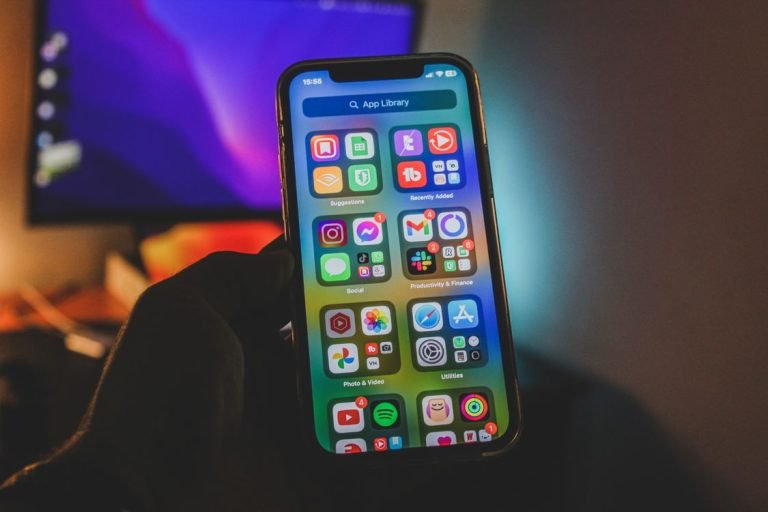
- Delete apps you haven’t opened in 3 months
- Clear out old text threads and voicemails
- Organize remaining apps into folders
- Review notification permissions — keep only the essential ones
- Delete downloaded podcasts, playlists, and offline maps you won’t use
5. Social Media
- Unfollow or mute 20 accounts that don’t add value
- Leave groups and pages you never engage with
- Review tagged photos and posts
- Tighten privacy settings on each platform
- Delete accounts on platforms you no longer use
6. Passwords & Security
- Run a password audit — change reused or weak passwords
- Turn on two-factor authentication everywhere it matters
- Remove old devices from your Apple, Google, and social accounts
- Check which third-party apps have access to your accounts — revoke the ones you don’t recognize
7. Subscriptions & Accounts
- Cancel subscriptions you forgot you’re paying for
- Delete old online accounts you no longer need
- Consolidate: one note app, one cloud drive, one to-do list
How to Use the Printable Checklist
Print it single-sided so you can see every category at a glance. Then pick one of two approaches:
- The weekend sprint: Block out 4–6 hours across Saturday and Sunday. Start at the top and don’t skip ahead — the checklist is ordered so quick wins build momentum for the bigger jobs.
- One room a day: Tackle one section per evening for a week. Slower, but it fits around a busy schedule and the results compound.
Tick each box with a pen as you finish it. There’s real psychology here: physical checkmarks trigger the same satisfaction loop as crossing items off a to-do list, which keeps you going through the boring middle sections.
Why a Printable Beats Another App
It sounds ironic to print a digital declutter checklist, but that’s exactly the point. Decluttering apps add to the clutter — another login, another notification source, another thing to maintain. Paper:
- Can’t distract you with notifications mid-cleanup
- Works even when your phone is in another room (which it should be)
- Gives you a visible, satisfying record of progress
- Gets recycled when you’re done — the ultimate declutter
Make It a Habit, Not a One-Time Event
A single declutter pass feels great, but digital clutter regrows. The last page of the PDF includes a monthly 15-minute maintenance checklist — empty downloads, review new app installs, unsubscribe from anything new that crept in. Tape it inside a cupboard door and run it on the first Sunday of each month.
For a deeper routine, pair the checklist with our monthly digital cleaning routine and these digital decluttering tips for better focus.
Frequently Asked Questions
How long does a full digital declutter take?
Most people finish the checklist in one focused weekend — roughly 4 to 6 hours total. The email and photos sections take the longest; passwords and subscriptions are usually quick wins.
Is the printable checklist really free?
Yes. The PDF is free to download, print, and share. No email signup required.
Should I do the checklist in order?
It’s recommended — the order is designed so early quick wins (unsubscribing, emptying trash) build momentum for bigger tasks like photo organizing. But any decluttering beats none, so start wherever your clutter bothers you most.
What’s the difference between this and your online digital declutter checklist?
The printable PDF is the condensed, checkbox version — designed to be used offline with a pen. The full online checklist includes detailed instructions and links for every step. They cover the same ground; use whichever format you’ll actually finish.
How often should I redo the full checklist?
Once or twice a year is plenty for most people, with the 15-minute monthly maintenance in between. If your digital life changes fast (new job, new devices), run it quarterly.