7-Day Digital Detox Plan: Reset Your Relationship with Technology
You don’t need to move to a cabin in the woods. A digital detox is simply a deliberate break from the digital noise — fewer notifications, less scrolling, more intention — and a structured 7-day plan makes it achievable without quitting your job or alarming your family.
Quick answer: A digital detox plan is a short, structured break from non-essential screen time designed to reset your technology habits. The most effective approach is gradual: each day of the 7-day plan removes one layer of digital noise — notifications, social media, news, entertainment scrolling — then rebuilds intentional habits so the benefits last after the week ends.
Before You Start: Set Your Rules
A detox without rules is just a vague intention. Write these down before Day 1:
- Define “essential.” Work tools, maps, calls, and texts from real humans stay. Everything else is negotiable for 7 days.
- Tell people. Let close contacts know you’ll be slower to reply. This removes 90% of detox anxiety.
- Prepare analog alternatives. An alarm clock, a paperback, a notebook. Boredom is the detox’s biggest enemy — arm yourself.
- Pick your start day. Monday works well: the structure of a work week makes the plan easier to follow.
The 7-Day Digital Detox Plan
Day 1: Audit and Silence
Check your Screen Time (iOS) or Digital Wellbeing (Android) report. Write down your daily average — this is your baseline. Then turn off all non-essential notifications: social media, news, shopping, games. Keep only calls, texts, and truly urgent work alerts. Notice how quiet your phone becomes. That silence is the point.
Day 2: Social Media Fast Begins
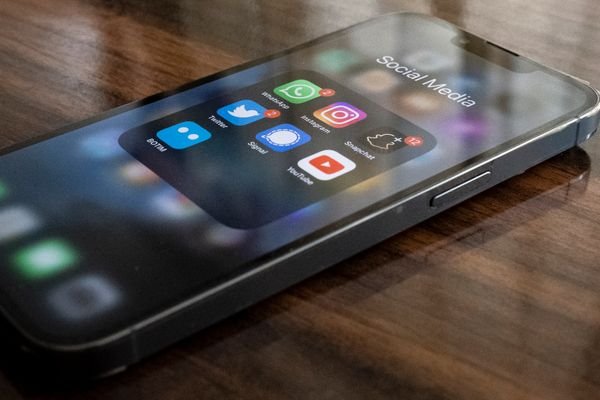
Log out of every social media app — don’t just close them, log out so opening them takes effort. Delete the apps from your home screen (you can reinstall later). If you need social for work, set two 15-minute windows and use the browser version only. For a deeper clean, our social media declutter guide pairs perfectly with this step.
Day 3: News and Information Diet
No news apps, no trending tabs, no doomscrolling “just to stay informed.” Check headlines once — in the morning, for 10 minutes, on one site — then stop. Most “breaking” news can wait a day without any real consequence to your life.
Day 4: Reclaim the In-Between Moments
Today’s rule: no phone during transitional moments — waiting in line, riding the elevator, walking between rooms, eating. These micro-moments are where compulsive checking lives. Carry the book or notebook from your prep step. Boredom is not an emergency.
Day 5: Evening Wind-Down
No screens for the last 90 minutes before bed. Charge your phone outside the bedroom (the alarm clock you bought has this covered). Read, stretch, talk to a human, or just sit with your thoughts. Most people report this single day improves their sleep more than anything else in the plan.
Day 6: Single-Tasking Day
Use one screen at a time, for one purpose at a time. No phone during TV, no laptop during meals, no second tab “just in the background.” When you catch yourself reaching for a second screen, pause and ask what you’re avoiding. This is the hardest day — and the most revealing.
Day 7: Design Your New Normal
Review your baseline screen time from Day 1 and check today’s number. Then decide what comes back — deliberately. For each app or habit, ask: does this serve me, or do I serve it? Write your personal tech rules: which notifications stay off, which apps stay deleted, what your evening cutoff is. The detox ends today; the habits start now.
What Counts as “Essential”?
This is the question everyone asks. A practical test: would a reasonable person in 2005 have needed this on a Tuesday? Calls, texts, maps, work email, banking, and health apps pass. Social feeds, short video apps, news aggregators, mobile games, and shopping apps don’t — they’re the exact things the detox targets.
After the Detox: Keeping the Gains
Detoxes fail when Day 8 looks exactly like Day 0. Lock in your results:
- Keep notifications off for everything you silenced on Day 1. You survived a week; you don’t need them back.
- Keep the bedroom phone-free. This one habit protects your sleep permanently.
- Schedule check-in times for email and social instead of reacting all day — batching beats willpower.
- Run a monthly reset using our digital cleaning routine so clutter doesn’t silently rebuild.
If you want to understand the deeper “why” behind all this, read what digital decluttering really means — and these digital decluttering tips for better focus will help you protect the attention you just reclaimed.
Frequently Asked Questions
How long should a digital detox last?
Seven days is the sweet spot for most people — long enough to break autopilot habits, short enough to actually finish. A weekend mini-detox (Days 1, 2, and 5) works as a lighter alternative.
Will I miss something important during a digital detox?
Almost certainly not. Truly urgent news reaches you through calls and texts from real people, which stay on. Everything else — social updates, trending topics, newsletters — will still be there in a week.
Can I do a digital detox if I work on a computer all day?
Yes — a detox targets non-essential use, not work. Keep your work tools; cut the personal scrolling, social tabs, and notification noise around them. Many remote workers find the detox improves their work focus too.
What should I do instead of scrolling?
The first two days feel strange — that’s normal. Read, walk, cook, call a friend, do a puzzle, organize a drawer. The goal isn’t productivity; it’s rediscovering that unstructured time doesn’t need filling.
How often should I repeat a digital detox?
Once or twice a year as a full reset, with the “new normal” rules running continuously in between. If you notice old habits creeping back — compulsive checking, bedtime scrolling — that’s your signal for a 3-day refresher.