What Is Digital Clutter? The Complete 2026 Guide
If your desktop looks like a crime scene, your inbox has five digits, and your phone throws a “storage almost full” warning every other week — you’re dealing with digital clutter.
Digital clutter is the accumulation of unnecessary, unused, or disorganized digital files, apps, messages, and data that slows you down, stresses you out, and makes your devices harder to use. Unlike a messy bedroom, digital clutter hides behind a clean screen — which is exactly why it keeps growing unnoticed.
In this guide, you’ll learn what digital clutter really means, the most common examples, how it affects your brain and your devices, and the first steps to getting rid of it for good.
What Does Digital Clutter Mean?
At its core, digital clutter is anything digital that takes up space, time, or attention without adding value. A file you downloaded three years ago and never opened. A photo of a blurry receipt from 2019. Twenty-six apps you haven’t touched since spring. An inbox with 4,000 unread newsletters.
Learn more about digital declutter meaning and how it applies to your devices.
Physical clutter is visible — you trip over it, you see it. Digital clutter is stealthy. Your hard drive can hold thousands of useless files without ever looking messy. But your brain notices. Every redundant notification, every duplicate photo, every folder named “New Folder (3)” is a tiny open loop pulling at your attention.
If you want to understand the different forms it takes, read our breakdown of the types of digital clutter — it covers far more than most people expect.
For the dictionary-style version, see digital clutter meaning, defined in plain English.
Digital Clutter Examples (You’re Probably Guilty of Most)
Here are the most common digital clutter examples hiding on your devices right now:
- Old downloads — installers, PDFs, memes, and screenshots sitting in your Downloads folder since 2022.
- Duplicate and blurry photos — 14 versions of the same sunset, screenshots of conversations you no longer need.
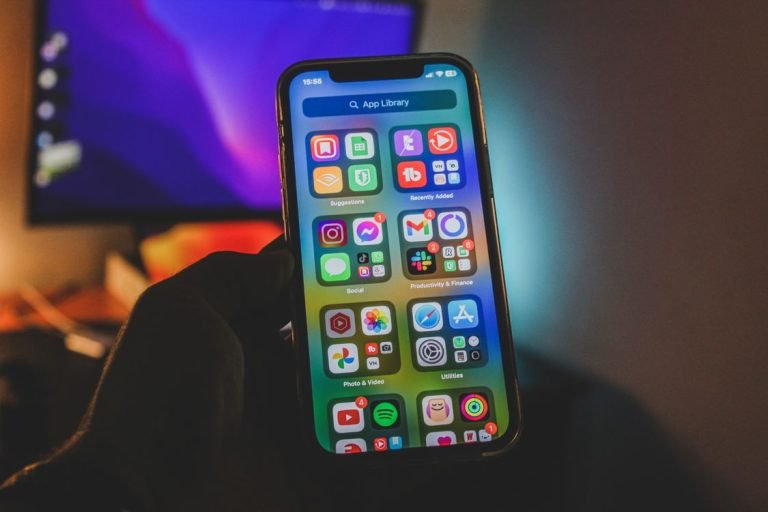
- Unused apps — games you played once, tools replaced by better alternatives, preinstalled bloatware.
- Unread emails — promotional newsletters, expired receipts, notifications from apps you deleted.
- Desktop chaos — files and shortcuts scattered across your desktop with no organization.
- Open browser tabs — 47 tabs you swore you’d read “later.”
- Forgotten cloud files — abandoned Google Docs drafts, half-synced folders, expired shared links.
- Messy file names —
IMG_8842.jpg,Document_final_FINAL_v3.pdf,Untitled (2).docx. - Redundant cloud storage — the same files living on your laptop, Google Drive, Dropbox, and an old external drive.
- Notification overload — badges, banners, and sounds from apps that don’t matter.
The average smartphone now carries thousands of files its owner will never open again. Sound familiar?
How Digital Clutter Affects Your Brain
You might wonder: if it’s all invisible, why does digital clutter matter? Because your mind doesn’t distinguish between physical and digital chaos.
Decision fatigue. Every time you search for a file among thousands of unsorted documents, you’re making micro-decisions that drain your focus. Researchers call this “cognitive load” — and digital clutter keeps it permanently high.
Lost time. The average person spends roughly 2.5 hours per day searching for information at work. Multiply that across a year and digital clutter isn’t a minor annoyance — it’s a productivity tax.
Mental noise. Just like physical mess, a chaotic digital environment raises cortisol levels. Notifications buzzing, badges piling up, tabs multiplying — each one is a small interruption taxing your attention.
Digital guilt. That unread inbox and those 12,000 unorganized photos create a background hum of “I should deal with that someday,” which quietly erodes your sense of control.
The good news: unlike a cluttered house, a cluttered digital life can be fixed in focused weekend sessions — and maintained with routines that take minutes.
Digital Clutter vs. Physical Clutter: What’s the Difference?
The two look different but behave almost identically in your mind. Here’s the comparison:
- Visibility. Physical clutter stares at you; digital clutter hides until your storage is full or you can’t find a file.
- Growth speed. Digital clutter grows far faster. One click duplicates, screenshots, or downloads an item in seconds — with zero physical effort.
- Cleanup effort. Physical decluttering means lifting, hauling, and donating. Digital decluttering means deciding, deleting, and organizing — mostly decision-making.
- Copy risk. Delete a physical item once and it’s gone. Digital items often live in three places at once, so they need to be cleared everywhere.
- Psychological weight. Both create guilt, stress, and a feeling of being behind. The brain’s response is surprisingly similar.
The big advantage of digital decluttering: nothing is heavy. You can sort hundreds of files in an afternoon — and our digital declutter checklist walks you through it room by digital room.
Signs You Have a Digital Clutter Problem
Run this quick self-check. If you answer “yes” to three or more, digital clutter is costing you real time and peace of mind:
- Your desktop is covered in files and you can’t find anything quickly.
- You have 10,000+ unread emails (or you stopped counting).
- Your phone constantly warns about storage being full.
- You keep 20+ browser tabs open “just in case.”
- You re-download files because you can’t find the originals.
- You have apps installed you haven’t opened in over a year.
- Your photos are completely unsorted — duplicates and screenshots everywhere.
- Your cloud storage is a mystery and you’re paying for extra space you probably don’t need.
A Quick Digital Clutter Audit
Set a timer for 10 minutes and count: unused apps, duplicate photos, unread emails, open tabs, desktop files. Don’t fix anything — just observe. Most people are shocked by the numbers, and that awareness is the first step toward change.
Once you have your numbers, take on this social media declutter challenge next.
What Causes Digital Clutter?
Understanding the causes helps you stop the cycle instead of just treating the symptoms:
- Frictionless saving. It’s easier to download or screenshot something than to decide whether you need it.
- Fear of deletion. “What if I need this someday?” keeps thousands of files alive long past their usefulness.
- No system. Without a naming convention or folder structure, every file becomes clutter the moment it’s saved. (See our guide on how to organize computer files and folders.)
- Auto-pilot subscriptions. Every newsletter signup and app install adds a permanent new source of clutter.
- Digital hoarding. The zero cost of storage tricks your brain into treating “free to keep” as “worth keeping.”
- Decision postponement. “I’ll sort that later” becomes a thousand deferred decisions that pile up silently.
How to Start Clearing Digital Clutter
You don’t need to fix everything this weekend. Start with the area that bothers you most:
1. Pick One Zone
Choose the single area causing the most daily friction — usually the inbox, phone photos, or desktop. One zone at a time keeps the project manageable.
2. Delete Before You Organize
Never organize mess. Spend the first session deleting ruthlessly: uninstall unused apps, mass-delete promotional emails, remove duplicate photos. Deleting first can remove 30-50% of the problem instantly.
3. Create a Simple System
A shallow folder structure, a consistent file naming pattern, and automatic backups. Simplicity beats perfection — you’ll actually stick to it.
4. Set Maintenance Habits
A 5-minute daily inbox sweep and a 15-minute weekly cleanup keep digital clutter from returning. If digital hoarding is your pattern, our guide to digital organization mistakes covers the traps to avoid.
If keeping everything feels less like a backlog and more like a compulsion, it helps to understand why we become digital hoarders in the first place.
5. Prevent New Clutter
Unsubscribe from newsletters you never read, say no to new apps by default, and use the “one in, one out” rule for subscriptions and storage.
Start with these 15 digital decluttering tips to build momentum.
Frequently Asked Questions
What is digital clutter in simple terms?
Digital clutter is the unnecessary and disorganized digital stuff — files, photos, emails, apps, tabs, and notifications — that fills up your devices and steals your time and attention without adding value.
What are examples of digital clutter?
Common examples include duplicate photos, unused apps, unread promotional emails, forgotten downloads, messy desktops, hundreds of open browser tabs, badly named files, and redundant cloud storage.
Does digital clutter affect mental health?
Yes. Research links clutter — digital and physical — to higher stress, reduced focus, and decision fatigue. Notifications and constant searching create background mental noise that raises cortisol and lowers productivity.
How is digital clutter different from physical clutter?
Digital clutter is invisible and grows faster because saving takes one click. However, it affects the brain similarly to physical clutter, and cleanup is mostly decision-making rather than physical labor.
How much digital clutter does the average person have?
Most people carry thousands of unused photos, hundreds of unread emails, dozens of forgotten apps, and gigabytes of forgotten downloads. Our guide to digital clutter statistics breaks down typical numbers by device.
Can digital clutter slow down my devices?
Absolutely. Full storage slows down phones and computers, too many apps drain battery, and bloated startup processes increase boot times. Clearing digital clutter often makes old devices feel new again.
How do I know if I have too much digital clutter?
Warning signs include constant “storage full” warnings, spending more than a few minutes searching for files, thousands of unread emails, and a feeling of guilt or overwhelm when you open your devices.
What’s the fastest way to reduce digital clutter?
Start with mass deletion: uninstall unused apps, bulk-delete promotional emails, and remove duplicate photos. Deleting before organizing can clear 30-50% of your digital clutter in a single session.
Conclusion
Digital clutter is the invisible weight of everything you’ve saved, installed, subscribed to, and postponed deciding about. It costs you time, focus, and peace of mind — every single day. But unlike physical clutter, you can make massive progress in a single afternoon, and maintain it with habits that take minutes.
Start today: pick your worst digital zone — inbox, phone storage, or desktop — and spend 20 minutes deleting what you don’t need. Then follow our step-by-step digital decluttering guide to build a system that keeps it that way.