15 Digital Decluttering Tips to Improve Focus and Productivity
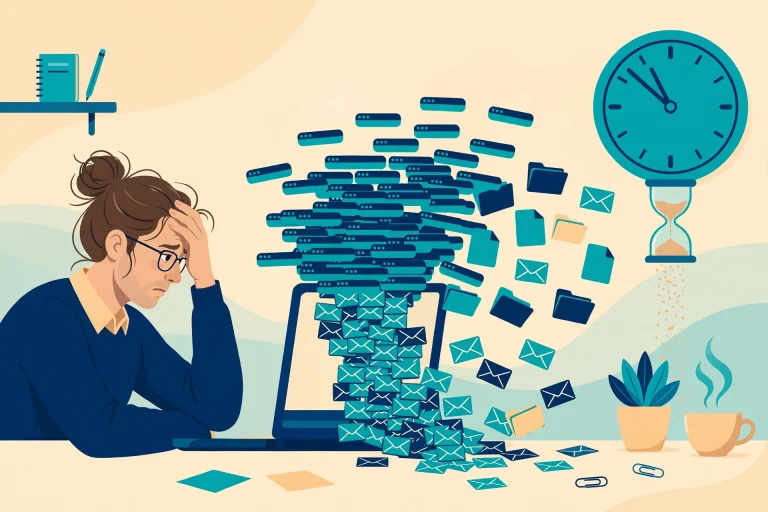
Your phone buzzes for the tenth time this morning. Your desktop is a sea of unnamed screenshots. Your inbox has 3,412 unread emails. Sound familiar? This invisible mess — digital clutter — is one of the biggest silent killers of focus in modern work life.
The good news: you don’t need a total digital detox to fix it. You just need the right digital decluttering tips, applied consistently. This guide gives you 15 practical, field-tested strategies to reduce digital clutter, protect your attention, and genuinely improve focus and productivity.
1. Start With a Digital Clutter Audit
Before you delete a single file, spend 20 minutes mapping where your clutter lives. Open each device you use daily and note the worst offenders: the downloads folder, the camera roll, the email inbox, the home screen.
Write the list down. A quick audit stops you from decluttering randomly and gives you a clear order of attack. Most people discover that just a few areas cause the bulk of their digital stress — usually email, photos, and files.
If you want a full breakdown of what counts as clutter, read our guide to the different types of digital clutter first.
2. Clear Your Desktop Completely
A cluttered desktop is the digital equivalent of a messy desk — and research consistently links visual clutter to reduced focus. Make it a rule: zero files live permanently on the desktop.
Move everything into one folder called “Desktop Sort,” then process it in batches: keep and file, archive, or delete. From now on, treat the desktop as a temporary landing zone, not storage.
3. Tame Your Downloads Folder
The Downloads folder is where files go to be forgotten. Sort yours by date, then delete anything older than 30 days you haven’t touched — installers, duplicate PDFs, random images.
Keep only active items there. Set a recurring weekly reminder to empty it so it never grows out of control again.
4. Email Digital Decluttering Tips: Tame Your Inbox Ruthlessly
Few digital decluttering tips pay off faster than an inbox reset. Here’s a simple system:
- Unsubscribe from newsletters you never open. Use a bulk unsubscribe tool or Gmail’s subscription manager.
- Archive everything older than 30 days that isn’t actionable.
- Create 3 folders: Action, Waiting, Reference. Everything else gets deleted or archived.
- Set up filters so routine emails skip the inbox automatically.
Want the full step-by-step? Check out our guide on how to declutter your email inbox.
5. Turn Off Non-Essential Notifications
Every notification is an interruption you volunteered for. Go to your phone’s notification settings and disable everything except calls, messages from real people, and calendar alerts.
Keep badge icons off for email and social apps. You’ll check them on your schedule — not the app’s. This single change often cuts daily interruptions in half.
6. Delete Apps You Haven’t Opened in 30 Days
Swipe through your apps and delete anything you haven’t used in the past month. Most phones now show “last used” dates, which makes this painless.
Be honest about the “maybe someday” apps. If you need one again, reinstalling usually takes just a few minutes. The mental calm of a lean home screen is worth far more.
7. Organize Your Files With a Simple Folder System
A complicated folder structure you never use is just another form of clutter. Keep it shallow — no more than three levels deep — and use clear, consistent names.
A structure that works for most people:
01-Work/02-Personal/03-Finance/04-Archive- Inside each: year folders (
2025,2026) - Name files
YYYY-MM-DD-description.pdf
For the complete method, see how to organize computer files and folders.
8. Close the Tab Hoarding Habit
Thirty open tabs don’t mean thirty things are getting done — they mean your brain is juggling thirty unfinished thoughts. Install a “read later” service (Pocket, Instapaper, or just bookmarks) and close everything else.
Set a rule: never end the day with more than 5 tabs open. Use tab groups for active projects and close them when the project ends.
9. Declutter Your Phone’s Photo Library
Photos are the largest and most emotional category of digital clutter. Tackle them in short sessions:
- Delete screenshots, duplicates, and blurry shots first — these are easy wins.
- Use a duplicate-finder app to catch the rest.
- Organize keepers into albums by year or event.
- Turn on cloud backup, then use your phone’s built-in storage optimizer — iCloud’s “Optimize iPhone Storage” or Google Photos’ “Free up space” — to shrink what’s stored locally. Don’t manually delete photos from your device to save space: with synced libraries, deleting from the phone also deletes them from the cloud.
Our photo organization guide walks through the full process.
10. Clean Up Your Cloud Storage
Google Drive, Dropbox, and iCloud quietly accumulate years of “shared with me” files, old backups, and forgotten folders. Once a quarter, do a purge:
- Sort by file size and delete the biggest offenders first.
- Remove old shared files you no longer need.
- Archive completed project folders.
- Check how much of your quota is left and set a target to stay under 80%.
See our detailed walkthrough: how to organize Google Drive. To declutter Google Drive fast, follow our quick-clean routine.
11. Do a Social Media Cleanup
Unfollow accounts that don’t add value to your life. Mute keywords that trigger doomscrolling. Remove old posts or photos that no longer represent you.
Consider deleting one social app from your phone entirely and using it only on desktop. Fewer feeds means fewer attention traps — one of the most powerful digital decluttering tips for focus. For a structured reset, try our 30-day social media declutter challenge.
12. Standardize Your File Names
Files named final-final-v2-ACTUAL.pdf are invisible clutter — you can never find them when you need them. Adopt one naming convention everywhere:
YYYY-MM-DD_Project-Name_Description.ext
Consistent names make search work properly and eliminate the “where did I save that?” friction that breaks focus dozens of times a week.
13. Digital Decluttering Tips for Maintenance: Schedule a Weekly 15-Minute Tidy
Decluttering isn’t a one-time event — it’s maintenance. Block 15 minutes every Friday afternoon (or Monday morning) to:
- Empty Downloads and Trash
- Archive completed emails
- Delete this week’s screenshots
- File any stray documents
Small, regular sessions prevent clutter from ever rebuilding to overwhelming levels.
14. Use the “One In, One Out” Rule
Every time you download a new file, install a new app, or subscribe to a new service, remove one old one. This single habit keeps your digital life at equilibrium instead of slow growth.
Apply it to cloud storage too: when you upload a big new folder, archive or delete an old one.
15. Do a Monthly Digital Sabbath
Finally, the best digital decluttering tip for focus isn’t about files at all — it’s about behavior. Once a month, take a full day (or even a half day) with no non-essential screens.
You’ll notice which apps you reflexively reach for — that’s data about where your real clutter (the attention kind) lives. Use what you learn to tighten steps 5, 8, and 11 above.
Frequently Asked Questions
What are the best digital decluttering tips for beginners?
Start with the highest-impact, lowest-effort tasks: turn off non-essential notifications, delete unused apps, and empty your Downloads folder. These three take under an hour and deliver immediate relief. Then work through your inbox and photos in short sessions.
How does digital decluttering improve focus?
Digital clutter creates constant low-level distractions — unread badges, messy desktops, notification pings — that fragment your attention. Removing them reduces context-switching and decision fatigue, which directly improves focus and deep work capacity. If you want hands-on help, check out the best digital declutter apps.
How often should I declutter my digital devices?
Do a light tidy weekly (15 minutes), a deeper clean monthly (1–2 hours covering photos, files, and cloud storage), and a full audit quarterly. Regular maintenance is far easier than letting clutter pile up for a year.
What is the fastest way to reduce digital clutter?
The fastest wins: delete apps you haven’t used in 30 days, unsubscribe from all newsletters you don’t read, empty Downloads and Trash, and turn off notification badges for email and social apps. Most people can do all four in under an hour.
Should I delete old emails or archive them?
Archive, don’t delete, when in doubt — storage is cheap and search is fast. Delete only true junk: promotional emails, old notifications, and duplicates. The real goal is an empty-feeling inbox, not a permanently smaller archive.
How do I stop digital clutter from coming back?
Three habits prevent re-accumulation: a weekly 15-minute tidy, the one-in-one-out rule for apps and files, and aggressive unsubscribe/filter habits for email. Clutter is a maintenance problem, not a one-time project.
Does decluttering my phone actually improve productivity?
Yes. A lean phone means fewer interruptions, faster retrieval of what you need, and less time lost to accidental scrolling. Most people report noticeably better focus within a week of a serious phone declutter.
Conclusion
Digital clutter didn’t appear overnight, and it won’t disappear overnight either — but these 15 digital decluttering tips give you a clear, manageable path forward. Start with the quick wins today: kill the notifications, delete the dead apps, and empty the Downloads folder. Then work through the rest in short sessions.
Pick one tip and do it right now — your future focused self will thank you. And if you’re ready for the full system, our digital declutter checklist walks you through every area step by step.