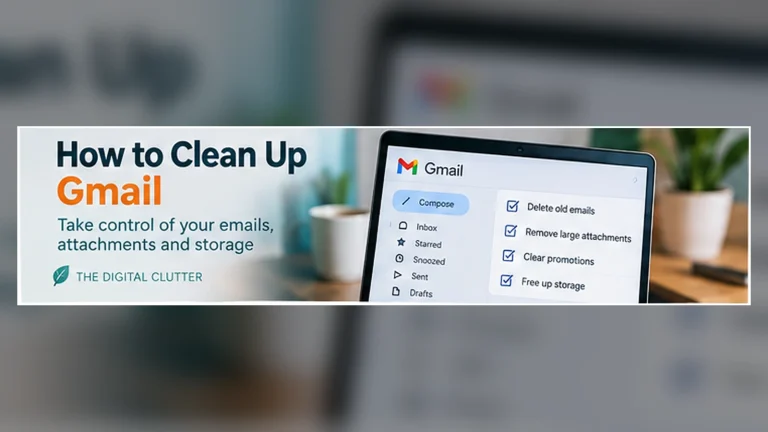
How to Declutter Your Email Inbox Without Deleting Important Emails
How to Declutter Your Email Inbox Without Deleting Important Emails
An inbox can be technically “organized” and still feel exhausting. Promotions, receipts, notifications, newsletters, and half-finished threads all compete with the handful of messages that genuinely matter. The goal is not Inbox Zero for bragging rights. It is an inbox you can trust.
Use four decisions: delete what is obviously disposable, unsubscribe from repeat clutter, archive messages you may need later, and create filters or rules for predictable incoming mail. Protect financial, legal, travel, work, and account-recovery messages before any bulk cleanup.
1. Stop New Clutter Before Cleaning the Old
If the same newsletters arrive tomorrow, deleting years of them today will not solve much. Unsubscribe from lists you no longer read and turn off automated notifications you can check inside the service instead.
2. Identify the Messages You Must Protect
Before bulk actions, think about tax records, contracts, travel bookings, receipts, client messages, medical information, and account recovery emails. These are not the messages to discover you deleted by accident.
3. Delete by Category, Not One Message at a Time
Search by sender, subject pattern, date range, or category. Bulk cleanup is easier when every selected message belongs to the same obvious group, such as expired promotions or automated alerts.
4. Archive When You Are Unsure
Archiving removes a message from the inbox while keeping it searchable. It is ideal for messages you do not need to see every day but may need later. Just remember that archiving does not normally reduce storage because the message still exists.
5. Keep the Folder or Label System Small
Most inboxes do not need forty folders. A few durable categories—Action, Waiting, Receipts, Travel, Clients, Reference—are easier to maintain. Search can do much of the rest.
6. Use Rules for Predictable Mail
Receipts, reports, service alerts, and newsletters can often be labeled or routed automatically. The best rule is one that saves attention without hiding something important.
7. Reset the Meaning of “Unread”
If 9,000 unread emails are sitting in the inbox, the unread number no longer means “needs attention.” After checking important exceptions, mark old low-value categories as read and make the unread count useful again from today forward.
8. Clean Large Attachments When Storage Is the Real Problem
Thousands of plain-text messages may use less space than a handful of large attachments. Search for large messages first, save any files you need, then delete the email only if the record itself is no longer important.
A Ten-Minute Weekly Inbox Reset
- Unsubscribe from one or two repeat offenders
- Archive finished conversations
- Delete obvious promotions and automated alerts
- Reply to quick messages
- Move real tasks into a task system instead of using email as a to-do list
Final Thoughts
A useful inbox is not empty. It is trustworthy. You should be able to open it and believe that what you see deserves your attention. Stop the inflow, protect important records, and make small maintenance easier than another giant cleanup.