How to Find and Delete Duplicate Files (Windows, Mac, Phone & Cloud)
Somewhere on your devices right now, the same photo exists four times, the same installer sits in three download folders, and last year’s presentation has six near-identical versions. Duplicate files are the quietest storage thieves: individually harmless, collectively eating gigabytes — sometimes tens of gigabytes — of space.
The fix is straightforward once you know where to look and, critically, what not to delete. Here’s the complete guide for Windows, Mac, phones, and cloud storage.
Why Duplicates Pile Up
- Downloads: every “Save As” without checking creates a
file (1).pdf. - Photo imports: importing the same SD card or phone twice doubles everything.
- Backups and migrations: moving to a new computer or phone often copies files that were already there.
- Attachments: saving the same attachment from multiple emails.
- Version chaos:
report-final.docx,report-final-v2.docx,report-FINAL-final.docx.
Understanding the causes matters because the best duplicate strategy is half cleanup, half prevention.
Safety First: What NOT to Delete
Before you touch anything:
- Never delete duplicates in system folders (Windows, Program Files, macOS System/Library). Duplicate finders can flag system files — exclude system directories from scans.
- Check before deleting photos: “duplicates” aren’t always identical — burst shots and edited versions look similar but aren’t the same. Keep the best, delete the rest deliberately.
- When in doubt, don’t delete — archive. Move questionable files to an external drive first. If nothing breaks in 30 days, delete them.
- Back up before bulk deletion. One full backup means any mistake is reversible.
Windows: Find and Delete Duplicates
Built-in (manual but free): Open File Explorer, use search filters like *.jpg sorted by name or size, and eyeball obvious pairs in Downloads and Pictures. Fine for small jobs.
Duplicate finder apps: Tools like dupeGuru (free, open source) scan by content — not just filename — so they catch IMG_0042.jpg and IMG_0042 (1).jpg as identical. Steps:
- Download dupeGuru and point it at Pictures, Documents, and Downloads (never system folders).
- Run a content scan.
- Review matches in groups — keep one, mark the rest.
- Delete, then empty the Recycle Bin.
Storage Sense: Windows Settings → System → Storage → Storage Sense can auto-clean temporary files and Recycle Bin contents on a schedule — not duplicates specifically, but it prevents new clutter.
Mac: Find and Delete Duplicates
Photos app (easiest win): The Photos app automatically detects duplicates under Albums → Duplicates (macOS Ventura and later). Review and merge — merging keeps the highest-quality version plus metadata.
Smart Folders: Finder → File → New Smart Folder, search by file type and sort by name to spot file 2.jpg patterns manually.
Duplicate finder apps: Gemini 2 (paid) is the Mac favorite — it finds exact duplicates and similar photos, which is gold for photo libraries. Same safety rules: exclude system folders, review before deleting.
iPhone & Android: Kill Duplicate Photos
Photo duplicates are the #1 phone storage thief.
- iPhone (iOS 16+): Photos → Albums → Duplicates. Tap Merge to combine each set, keeping the best version.
- Android: Google Photos doesn’t have a one-tap duplicate merge, but Files by Google → Clean → “Delete duplicates” handles files, and Google Photos’ “Free up space” removes already-backed-up originals.
- Screenshots and memes: these are the most-duplicated phone files. A monthly 5-minute purge of screenshots does more than any app.
For the full phone cleanup workflow, see our phone declutter checklist — and if you’re wondering whether your usage is normal, our storage calculators put real numbers on it.
Google Drive & Cloud Storage
Cloud duplicates are sneaky because sync multiplies them:
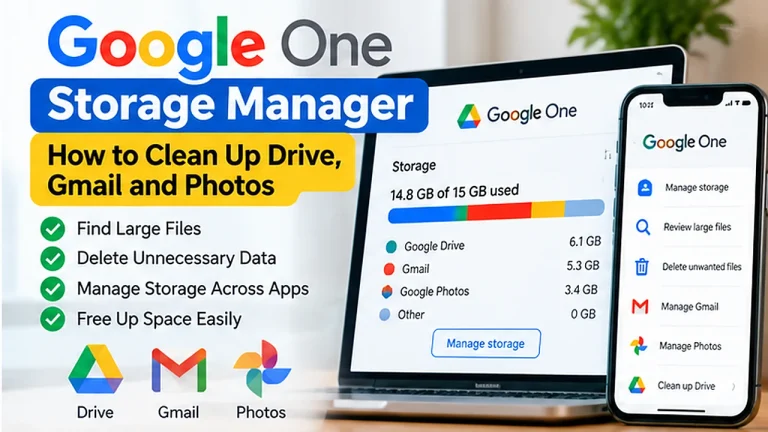
- In Google Drive, search for common duplicate patterns:
"(1)"in the search bar surfaces Drive’s own renamed copies. - Sort folders by name to spot adjacent near-duplicates.
- Check the “Shared with me” section — files others shared that you also saved yourself.
- After cleanup, our Google Drive declutter guide keeps it from recurring.
Stop Duplicates From Coming Back
- One import workflow: import photos once, into one place, then delete from the source.
- Download discipline: check Downloads before re-downloading; browsers warn about existing files — don’t reflexively click “keep both.”
- Name files at creation: a file named
2026-10-15-invoice-acme.pdfnever becomesinvoice (3).pdf. Our folder and naming guide covers the system. - Quarterly duplicate scan: 15 minutes every three months with a duplicate finder keeps the creep at zero.
Frequently Asked Questions
Is it safe to use duplicate finder software?
Yes, if you exclude system folders and review results before deleting. The danger isn’t the software — it’s bulk-deleting without looking. Always back up first.
Why does my phone say storage is full when I’ve deleted photos?
Deleted photos sit in “Recently Deleted” for 30 days still occupying space. Empty it manually. Also check large message attachments and offline downloads in streaming apps.
What’s the difference between duplicates and similar photos?
Duplicates are byte-identical (same file twice). Similar photos are near-identical shots (burst mode). Content-based finders catch duplicates automatically; similar-photo detection (Gemini 2, some phone galleries) needs your judgment on which to keep.
How much space do duplicates typically waste?
It varies wildly, but multi-gigabyte recoveries are common on long-neglected computers and photo libraries. Phones with years of screenshots and re-saved memes often free 5–15 GB.
Can duplicates slow down my computer?
Indirectly, yes — a full drive slows everything down, and duplicates contribute to fullness. They’re rarely the cause of slowness on their own, but removing them is part of every good computer declutter.
Conclusion
Duplicates are pure waste: no value, just space. Run one content-based scan on your computer, merge duplicates in your phone’s photo app, search Drive for (1) copies — then set up the habits that stop them returning. For the bigger picture, our computer declutter guide and file size calculator guide turn today’s cleanup into lasting order.