How to Clean Up Your Digital Footprint: Find and Erase Your Data Trail
Every account you’ve created, every form you’ve filled out, every photo you’ve posted — it all adds up to your digital footprint: the trail of data you leave across the internet. Most people’s footprint is far bigger (and messier) than they realize, spanning forgotten accounts, old posts, data-broker profiles, and breached passwords.
Cleaning it up isn’t about paranoia. It’s about control: deciding what exists about you online, who can see it, and who profits from it. Here’s how to do a complete digital footprint cleanup, step by step.
What Makes Up Your Digital Footprint?
Your footprint has two layers:
- Active footprint — things you deliberately created: social profiles, accounts, posts, comments, reviews, published content.
- Passive footprint — data collected about you: tracking cookies, location history, purchase records, data-broker profiles, and anything scraped or leaked in breaches.
You can delete much of the active layer directly. The passive layer takes more work — opt-outs, privacy settings, and ongoing habits — but it’s shrinkable too.
Why Bother Cleaning It Up?
- Security: Forgotten accounts with reused passwords are prime targets after data breaches. Fewer accounts = smaller attack surface.
- Privacy: Data brokers sell profiles built from your trail. Shrinking it reduces who’s watching.
- Professional image: Employers and clients Google you. A curated footprint beats an accidental one.
- Peace of mind: Knowing what’s out there ends the vague anxiety of “the internet knows everything about me.”
If you’re new to the concept, our guide on what digital clutter is covers how these trails accumulate in the first place.
Step 1: Google Yourself (Properly)
Search your name in quotes, plus variations: maiden name, nicknames, old usernames. Check image and video results too. Try it logged out or in a private window for neutral results. Make a list of everything you find that you control — and everything you don’t (we’ll handle that in step 5).
Also search your email addresses and phone numbers in quotes. Old forum profiles and classified ads surface this way.
Step 2: Inventory Your Accounts
This is the big one. Most people have accumulated far more online accounts than they can readily remember. Find them systematically:
- Search your email for “welcome,” “verify your account,” “confirm your email,” and “thanks for signing up.” Go back as far as your email history allows.
- Check your password manager — if you use one, its vault is a ready-made account list. (If you don’t, this project is a great reason to start; see our digital life management guide.)
- Review connected apps: Google Account → Security → Third-party access. Same for Facebook, Apple, and Twitter/X. Revoke anything you don’t recognize or use.
- Check your browser’s saved logins — each entry is an account you once created.
Step 3: Delete (or Secure) What You Find
For each account, decide: delete, or keep and secure?
- Delete anything you haven’t used in a year: old shopping accounts, dead social profiles, forum logins, free-trial leftovers. Download any data you want first, then use the account’s deletion page (search “[service] delete account” — most have one buried in settings).
- Secure what you keep: unique password + two-factor authentication, minimum.
Prioritize accounts tied to your primary email and any that hold payment info or ID documents.
Step 4: Lock Down Social Media
For each active profile:
- Set past posts to friends-only where the option exists.
- Remove personal details you don’t need public: birth year, phone number, hometown, employer history on dormant profiles.
- Delete or untag embarrassing old content — or at minimum, restrict who can see it.
- Turn off location tagging going forward.
Step 5: Opt Out of Data Brokers
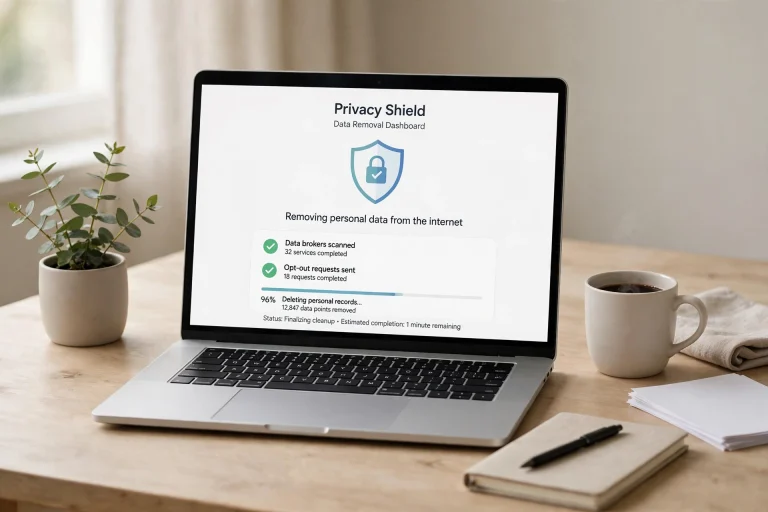
Data brokers (Spokeo, Whitepages, BeenVerified, and dozens more) publish your address, phone, relatives, and more. You can opt out of each one individually — tedious but effective — or use a removal service. Either way, re-check yearly; brokers re-acquire data.
Step 6: Separate Professional From Personal
Going forward, keep two lanes:
- Professional: real name, curated profiles, work email.
- Personal: locked-down profiles, separate email for signups and shopping.
Use a dedicated “junk” email for newsletters, trials, and one-time purchases so your primary address stays out of marketing databases.
Keep It Clean: Ongoing Habits
- Before signing up for anything, ask: “Do I need an account, or will guest checkout do?”
- Use “Sign in with Apple/Google” sparingly — it’s convenient but centralizes your trail.
- Do a 20-minute footprint review every six months: repeat steps 1–2 and prune.
- Fold it into your monthly digital cleaning routine so it never builds up again.
Frequently Asked Questions
Can I completely erase my digital footprint?
No — and anyone promising that is selling something. But you can dramatically shrink it: delete what you control, opt out of brokers, lock down privacy settings, and stop feeding the trail. “Much smaller and intentional” is a realistic, worthwhile goal.
How long does a digital footprint cleanup take?
The first pass takes 2–4 hours spread over a weekend. Account deletion requests can take days to process. After that, 20 minutes twice a year keeps it maintained.
Will deleting accounts hurt anything I need?
Sometimes — check for purchase history, subscriptions, or content you want to keep before deleting. Download your data first (most services offer this under privacy settings), then delete.
What about things other people posted about me?
You can ask the poster to remove content, and most platforms let you report non-consensual personal information. Search engines also offer removal request forms for sensitive personal data like ID numbers and explicit images.
Is a data broker removal service worth paying for?
If you value your time, often yes — manual opt-outs across dozens of brokers take hours and need repeating. If you’re budget-conscious, the free manual route works; prioritize the biggest brokers first.
Conclusion
Your digital footprint grows by default and shrinks only by intention. Spend one weekend finding your accounts, deleting the dead weight, locking down what’s left, and opting out of data brokers — then protect the gains with small, regular reviews. Start today by Googling yourself; what you find will motivate the rest. And if the whole project feels overwhelming, our step-by-step digital life declutter breaks the bigger cleanup into manageable pieces.