Digital Organization: The Beginner’s Guide to Organizing Your Digital Life
Digital organization sounds like a project for productivity nerds. It isn’t. It’s a basic life skill — like knowing where your keys are. And if you currently can’t find your keys, your files, or a photo from last month without a scavenger hunt, this beginner’s guide to digital organization is for you.
Digital organization means building simple, repeatable systems for storing, naming, and retrieving your digital stuff — files, photos, emails, passwords, bookmarks, apps, and notes. No complicated software required. No perfect setup. Just practical systems that work.
Let’s build yours, step by step.
If you’re new here, start by learning what digital decluttering means for your daily routine.
Why Digital Organization Matters More Than Ever
Your digital life spans at least four or five domains:
- Files and documents — work projects, finances, personal records.
- Photos and media — thousands of images, videos, screenshots.
- Email and messages — inboxes, DMs, notifications.
- Apps and subscriptions — dozens of logins and services.
- Bookmarks and notes — articles saved, ideas jotted down.
Without organization, each domain becomes a junk drawer. You waste time searching, you re-do lost work, you pay for storage you don’t need, and you carry a constant low-level stress about everything you’re “behind on.”
Digital organization flips that: every item has a home, everything is searchable, and your brain gets to relax. For the full philosophy behind this approach, start with our step-by-step digital decluttering guide.
The 5 Principles of Good Digital Organization
Before tools and folders, internalize these principles. They’re the difference between a system that lasts and one that collapses in a month.
1. Every Item Gets One Home
Each type of file lives in exactly one place. Photos go in the photo library — not the desktop, not email attachments, not a random folder. One home, no duplicates.
2. Shallow Beats Deep
Folder nesting beyond three levels is where files go to die. If it takes four clicks to reach something, your structure is too deep.
3. Searchable Beats Browsable
Modern devices have powerful search. Name things consistently and search works. You don’t need a perfect folder tree — you need consistent names.
4. Simple Beats Clever
Color-coded, emoji-tagged, 40-folder systems fail because they’re exhausting to maintain. The best system is the simplest one you’ll actually use.
5. Maintenance Is the System
Organization without maintenance is just a one-time cleanup. Five minutes a week keeps everything working. Skip this and you’ll be back to chaos in six months.
Digital Organization Step 1: Organize Your Files
Files feel overwhelming when they have no consistent home. Start simple: a few top-level folders, shallow nesting, and one naming pattern you use everywhere. When you’re ready for the full system, read how to declutter digital files and learn to organize computer folders with names you’ll actually stick with.
Digital Organization Step 2: Organize Your Photos
Pick one primary photo library and back it up automatically, then delete the obvious junk — duplicates, blurry shots, and accidental screenshots. A short monthly review keeps it from piling up again. For a structured pass through your camera roll, use our phone declutter checklist.
Digital Organization Step 3: Organize Your Email
You don’t need inbox zero — you need a simple flow: unsubscribe aggressively, file with a few labels, and check email at set times instead of all day. A few minutes of maintenance keeps it working. When you’re ready for a full reset, follow our inbox cleanout guide.
Digital Organization Step 4: Organize Your Apps and Subscriptions
Apps multiply quietly, so audit them quarterly: cancel subscriptions you don’t use, delete apps you haven’t opened in months, and keep one daily-essentials home screen. If you want help choosing, these are the best declutter apps for the job.
Digital Organization Step 5: Organize Passwords, Bookmarks, and Notes
The small stuff — passwords, bookmarks, notes — causes daily friction, so give each a single home: a password manager, one read-later spot, and one notes app. For the bigger picture, our digital life management guide shows how these pieces fit together. If you’re choosing tools, our comparison of productivity apps can help you pick without overthinking.
Essential Digital Organization Tools for Beginners
You don’t need many tools — but the right few make everything easier:
- Cloud storage: Google Drive, OneDrive, or iCloud for automatic backup and access everywhere.
- Password manager: Bitwarden or 1Password — non-negotiable.
- Note app: One simple app (Apple Notes, Google Keep, or Notion if you want more power).
- Duplicate finder: dupeGuru or Gemini 2 for clearing photo/file duplicates.
- Unsubscribe tool: Cleanfox or the built-in unsubscribe management in Gmail.
- Calendar: Google Calendar or Apple Calendar for maintenance reminders.
Resist the urge to collect tools. Every new app is a new thing to organize — which is one of the classic digital organization mistakes beginners make.
Compare your stack against the 12 best digital organization tools before adding anything new.
A Beginner’s 30-Day Digital Organization Plan
Don’t try to do everything this weekend. Spread it out:
Week 1 — Files: Back up, delete junk downloads, set up your folder structure, name files consistently.
Week 2 — Photos: Pick one photo library, delete duplicates and junk, set up automatic backup, create year folders.
Week 3 — Email: Unsubscribe in bulk, set up filters and labels, reach inbox zero once, establish a twice-daily check routine.
Week 4 — Apps, passwords, bookmarks: Audit subscriptions, delete unused apps, install a password manager, clean bookmarks into two folders.
Ongoing — Maintenance: 5 minutes daily (inbox sweep), 15 minutes weekly (files, photos, desktop), 30 minutes monthly (subscriptions, backups, archive review).
Stick with it to build lasting digital life management systems that practically run themselves.
Frequently Asked Questions
What is digital organization?
Digital organization is the practice of creating simple, repeatable systems for storing, naming, and finding your digital files, photos, emails, passwords, bookmarks, and apps — so you can find anything in seconds and stop wasting time on digital chaos.
How do I start organizing my digital life?
Start with your biggest pain point (usually files or email). Back up first, delete what you don’t need, create a simple folder structure, and adopt consistent naming. Then set a weekly 15-minute maintenance habit.
What are the best digital organization tools?
The essentials are cloud storage (Google Drive/iCloud), a password manager (Bitwarden), one note app, and a duplicate finder. More tools usually mean more clutter — keep it minimal.
How should I organize files on my computer?
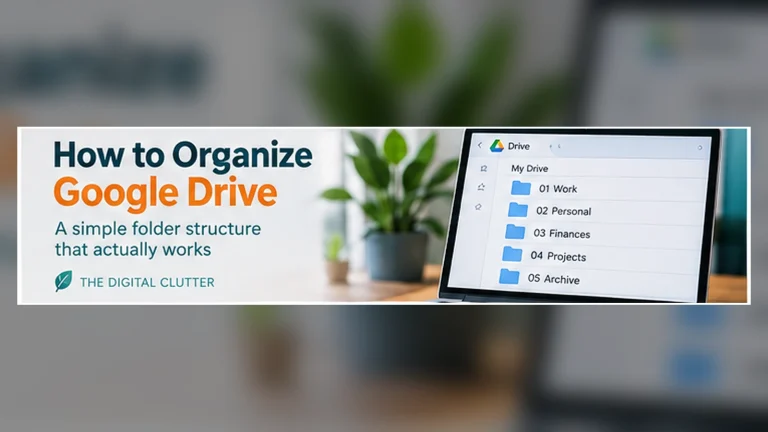
Use 4-6 numbered top-level folders (Personal, Work, Finance, Projects, Archive), nest no deeper than three levels, and name files with a consistent pattern like YYYY-MM-DD_Description.ext.
How do I organize thousands of digital photos?
Use one primary photo library, store originals in year-based folders, delete duplicates and blurry shots ruthlessly, use in-app albums for subjects, and turn on automatic backup.
How can I keep my email organized?
Unsubscribe from everything you don’t read, use 3-5 labels (Action, Waiting, Reference, Archive), set up filters for newsletters and receipts, and check email at two set times daily instead of constantly.
How often should I maintain my digital organization?
Do a 5-minute daily inbox sweep, 15 minutes weekly for files and photos, and 30 minutes monthly for subscriptions and backups. A full re-organization once or twice a year keeps the system healthy.
What’s the biggest mistake beginners make with digital organization?
Building an overly complex system they can’t maintain, or buying new apps instead of fixing habits. Simple systems with regular maintenance always beat elaborate setups.
Conclusion
Digital organization isn’t about becoming a productivity robot. It’s about making your digital life boring in the best way — everything has a home, everything is findable, nothing nags at you in the background.
Start with Week 1 today: back up your files, delete the obvious junk, and set up your five folders. Then follow the 30-day plan at your own pace — and grab the digital declutter checklist to track your progress as you go.
Pair this plan with practical tips that improve focus to stay consistent.