Digital Life Management: Systems to Keep Your Digital Life Organized for Good
Most people don’t have a digital organization problem — they have a digital life management problem. They declutter their inbox, organize their files, set up a task app… and six months later everything is chaos again. Why? Because they built a tidy snapshot, not a system. Digital life management is the difference: it’s the set of simple, repeatable systems that keep your files, email, tasks, notes, passwords, and memories organized permanently, with minimal effort.
This guide shows you how to build that system — not by buying ten new apps, but by setting up five core systems that work together.
What Is Digital Life Management?
Digital life management is the ongoing practice of organizing and maintaining everything you own, owe, and need to remember in digital form. It covers:
- Files and documents — where things live and how you find them
- Email and communication — how messages get processed, not just stored
- Tasks and projects — what needs doing and when
- Notes and knowledge — what you’ve learned and want to keep
- Passwords and accounts — secure access to everything
- Photos and memories — preserving what matters
- Backups — making sure none of it disappears
The goal isn’t perfection. It’s building systems so reliable that staying organized becomes the path of least resistance.
Principle 1: One Home for Everything
The foundation of digital life management is simple: every type of thing has exactly one home. Clutter is almost always a symptom of things living in multiple places.
Set up your homes:
| Type of thing | One home (examples) |
|---|---|
| Files & documents | Google Drive / Dropbox / OneDrive (pick one) |
| Tasks | One task app (Todoist, Things, Apple Reminders) |
| Notes & ideas | One notes app (Notion, Obsidian, Apple Notes) |
| Passwords | One password manager (Bitwarden, 1Password) |
| Photos | One photo library with cloud backup |
| Calendar | One calendar app for everything |
Not sure which apps fit you? Our comparison guide on which productivity app is right for you walks through the decision.
Principle 2: Capture Everything, Process Regularly
A management system lives or dies on its capture habit. Your brain is for having ideas, not holding them. Every system needs an inbox — a single place where unprocessed stuff lands:
- Task inbox: your task app’s inbox view
- Email inbox: yes, email is just another inbox to process
- Notes inbox: a “quick capture” note or daily note
- File inbox: a Downloads or “To Sort” folder
Then process each inbox on a schedule:
- Daily (5 min): clear your task inbox and email. Every item gets a decision: do it now (under 2 minutes), schedule it, delegate it, file it, or delete it.
- Weekly (30 min): review all inboxes, your calendar for the coming week, and your active projects. This weekly review is the engine of the whole system — skip it and everything slowly rots.
- Monthly (60 min): the deeper maintenance pass — archive old projects, prune files, review subscriptions. Our monthly digital cleaning routine gives you the full checklist.
Capture without processing creates a second mess. Processing is what makes the system work.
The Five Core Systems of Digital Life Management
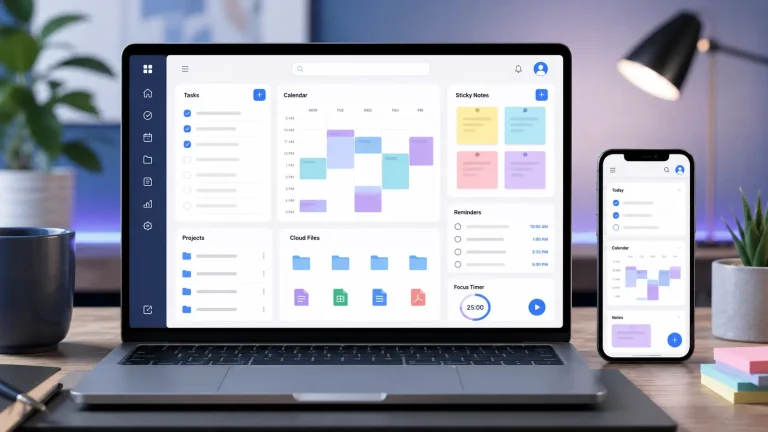
Each system below works on its own, but digital declutter apps can automate the repetitive parts and help you stay consistent.
System 1: File Management
Your file system needs three things: a shallow structure, consistent naming, and a single source of truth.
- Structure: no more than 3 levels deep. Broad categories at the top (
Personal,Work,Finance,Projects,Archive). - Naming:
YYYY-MM-DD descriptive-name.ext— files that sort chronologically and describe themselves. - Single source of truth: active files live in your one cloud drive. Finished projects move to Archive. Nothing important lives only on a desktop.
For the full method, see our guides on how to organize computer files and folders and common digital organization mistakes to avoid. If your cloud drive is the messiest part, start by learning how to declutter Google Drive.
System 2: Email Management
Email isn’t a to-do list or a filing cabinet — it’s a conveyor belt. The system:
- Unsubscribe aggressively until only wanted mail arrives.
- Filters auto-file newsletters, receipts, and notifications into labeled folders, skipping the inbox.
- Process to zero daily: reply, convert to a task, file, or delete. An email should never sit in your inbox “as a reminder” — that’s what your task app is for.
- Search, don’t file. Modern email search is excellent. Beyond a few broad labels, elaborate folder hierarchies waste time.
System 3: Task and Project Management
Keep it brutally simple:
- One task list with three views: today, upcoming, and someday.
- Projects get a dedicated note or folder containing the plan, files, and next actions — linked from the task app, not duplicated in it.
- Weekly review keeps the list honest: delete stale tasks, reschedule the unrealistic, and celebrate the done.
The system that survives is the simplest one you’ll actually maintain. Ten projects with clear next actions beats fifty vaguely defined ones. If a project has already spiraled out of control, here’s how to recover a disorganized digital project.
System 4: Notes and Knowledge
Your notes system should answer one question: “Where did I put that thing I learned?” The PARA method (Projects, Areas, Resources, Archives) works well:
- Projects: notes for active projects (short-term, actionable)
- Areas: ongoing responsibilities (health, finances, home)
- Resources: topics of interest (reading notes, recipes, travel ideas)
- Archives: completed projects and inactive items
Keep notes short and searchable. A hundred brief, findable notes beat ten beautifully formatted ones you never open.
System 5: Passwords, Backups, and Security
The unglamorous backbone of digital life management:
- Password manager for every account. Unique passwords, everywhere, no exceptions.
- Two-factor authentication on email, banking, and cloud storage at minimum.
- 3-2-1 backups: three copies of important data, on two different media, one offsite (cloud counts as offsite).
- Annual account audit: once a year, review and close accounts you don’t use.
This system doesn’t just organize — it protects everything the other systems hold.
Principle 3: Automate the Predictable
Every manual step you repeat weekly is a candidate for automation:
- Email filters sort incoming mail automatically.
- Cloud sync backs up photos and files without thinking.
- Recurring tasks remind you of the weekly review and monthly cleanup.
- Text expanders or templates speed up repetitive writing.
- Scheduled bill payments remove an entire category of mental load.
Automation doesn’t replace your systems — it removes friction from them. Start with the task you find most tedious; that’s where automation pays off fastest.
Principle 4: Review Beats Perfection
No system survives first contact with a busy month. What separates people with organized digital lives from everyone else isn’t better tools — it’s the weekly review. Thirty minutes, once a week:
- Clear all inboxes (tasks, email, notes, downloads).
- Look at next week’s calendar — anything to prepare?
- Review active projects — what’s the next action for each?
- Check your systems — is anything slipping? Fix the system, not just the symptom.
When a system stops working, don’t abandon it — adjust it. Systems are living things. The monthly digital declutter checklist review pairs perfectly with this habit.
Building Good Digital Habits That Support the System
Systems need habits to run on. A few that compound over time:
- One-touch rule: handle small digital tasks immediately — file the download, reply to the quick email, delete the blurry photo. Touch it once.
- End-of-day shutdown: spend 5 minutes clearing your desktop, closing tabs, and glancing at tomorrow. You start each morning clean.
- Friction for bad habits: move distracting apps off your home screen; log out of time-sink sites.
- Frictionless good habits: put your capture tools (notes app, task inbox) one tap away.
If habit-building itself feels hard, our guide on how to form better habits and break bad ones breaks down the science into practical steps.
Frequently Asked Questions
What is digital life management?
Digital life management is the practice of organizing and maintaining your digital files, email, tasks, notes, passwords, photos, and backups through simple, repeatable systems — so staying organized happens automatically instead of requiring constant effort.
How do I start organizing my digital life from scratch?
Start with consolidation: pick one home for files, one task app, one notes app, and one password manager. Then do a full declutter of each area, set up the five core systems (files, email, tasks, notes, security), and begin a weekly review habit. Don’t try to build everything in one day.
What’s the best app for digital life management?
There’s no universal best — the best app is the one you’ll actually use consistently. Pick tools that sync across your devices, have low friction for capture, and that you find pleasant to open. Our productivity app comparison can help you choose. For a broader roundup, see the best digital organization tools for 2026.
How is digital life management different from digital decluttering?
Decluttering is a one-time cleanup of accumulated mess. Digital life management is the ongoing system of habits, tools, and routines that keeps things organized permanently. Decluttering is the reset; management is the lifestyle.
How much time does digital life management take each week?
About an hour a week: 5 minutes daily for inbox processing plus a 30-minute weekly review. Plus 60 minutes monthly for deeper maintenance. That’s under an hour a week to never drown in digital chaos again.
What if my partner or family doesn’t follow the same systems?
You can’t control others, but you can control shared touchpoints: a shared family calendar, a shared photo album, and agreed naming for shared folders. Lead by example — organized shared spaces tend to stay organized.
How do I keep my system working during busy periods?
Simplify, don’t abandon. During crunch times, shrink to the minimum: capture everything into inboxes, and do a 10-minute daily triage instead of the full weekly review. The system bends; it doesn’t break — and you restore the full routine when things calm down.
Conclusion
Digital life management isn’t about achieving inbox zero once or organizing your files on a productive Sunday. It’s about building five simple systems — files, email, tasks, notes, and security — powered by the habits of capture, weekly review, and monthly maintenance. Set them up once, tend them lightly, and your digital life largely takes care of itself.
Start today: pick your “one home” for tasks and notes — just decide, in the next ten minutes. Then work through our digital declutter checklist to clear the backlog, and set up the monthly digital cleaning routine to keep your new systems running. Your organized digital life starts with one decision. And if you’d rather not do it alone, you can hire a professional to set it up for you.