How to Clean Up Your Online Presence and Reputation: A 9-Step Audit
Before a hiring manager calls you, before a landlord approves your application, before a new client signs a contract, there is a good chance someone types your name into a search engine. What they find in those few seconds shapes their first impression. Old posts, forgotten profiles, mismatched photos, and outdated listings can all say things you never meant them to say. Learning how to clean up your online presence puts you back in charge of that first impression.
This guide walks you through a complete audit in nine steps: seeing yourself the way strangers do, listing every account, tightening privacy, cleaning old content, getting unwanted results removed, building a stronger professional presence, and monitoring over time. You will also find a free scorecard to measure where you stand, a table of privacy settings by platform, and a message template for asking a website owner to remove content.
Quick answer: how do you clean up your online presence?
- Search your name, usernames, email, and phone number in private browsing and see what appears.
- List every account and profile you own, and delete the ones you no longer use.
- Lock down privacy settings on social platforms and review tags and old posts.
- Delete or archive content that no longer reflects you, and ask sites to remove what you cannot delete yourself.
- Build up accurate, professional profiles so good results outrank bad ones, then set up alerts to monitor changes.
Why Your Online Presence Matters
An online presence is the sum of everything that can be found about you: social media profiles, photos, comments, articles, public records, reviews, forum posts, and data held by search engines and data brokers. Most people never built it deliberately. It accumulated over years of signing up, posting, and tagging.
People look. Recruiters and employers commonly search candidates online, landlords and clients do their research, and new acquaintances check profiles before meeting. A tidy, accurate presence builds trust. A messy or outdated one creates questions you never get a chance to answer. Cleaning it up is not about hiding who you are. It is about making sure what people find is accurate, current, and what you would be comfortable with them seeing.
It also protects your safety and privacy. Scattered personal details, such as your address, phone number, and family connections, make you easier to target for scams and harassment. If that worries you more, our guides on cleaning up your digital footprint and removing yourself from the internet go further into data removal.
Online Presence vs Digital Footprint vs Reputation
| Term | Meaning | Focus of this guide |
|---|---|---|
| Digital footprint | All the data trail you leave online, active and passive | Covered in our footprint guide |
| Online presence | What can be found about you and how you appear | Yes, the main focus |
| Online reputation | What people think of you based on what they find | Yes, how you shape it |
Take the Online Presence Scorecard
Tick everything you have already done. The score is only a rough guide, but it shows where to start.
How Clean Is Your Online Presence?
Step 1: See Yourself the Way Strangers Do
Start by searching for yourself the way someone else would. Use a private or incognito window so your own history and logins do not shape the results.
What to search
- Your full name, in quotation marks, with and without your city, employer, or school.
- Variations: nicknames, maiden or former names, and common misspellings.
- Your usernames and handles from old games, forums, and social sites.
- Your email addresses and phone number.
- Your home address, if you want to see whether it is listed.
Where to search
- At least two search engines. Results differ between them.
- The Images tab, where old photos can appear.
- The News and Videos tabs.
- Social platforms’ own search boxes.
- People-search and data broker sites.
Look at the first two or three pages of results. Note what is accurate and positive, what is outdated or irrelevant, what you did not know was public, and what concerns you. Take screenshots or save links in a document so you can track what you have fixed. Also check whether another person with your name appears, because that can cause confusion that you may want to address by making your own profile clearer.
Step 2: List Every Account and Profile
You cannot clean up what you have forgotten. Build a complete list.
- Search your email. Look for “welcome”, “verify your email”, “confirm your account”, and “your account” messages. These reveal sign-ups going back years.
- Check your password manager. It lists the sites you have logged in to.
- Check “Sign in with” connections. Look at the connected apps in your Google, Apple, Facebook, and Microsoft accounts.
- Review your browser’s saved logins. Old forgotten accounts often sit there.
- Remember old platforms. Blogs, photo sites, dating apps, forums, and gaming accounts are common blind spots.
Put the results in a simple table with columns for site, username, email used, whether it is public, and what you plan to do. For a detailed method of finding and removing forgotten accounts, see our guide on how to find and delete old online accounts.
Step 3: Delete What You Do Not Use
Every unused account is a risk and a loose end. Delete accounts that are inactive, from platforms you have left, or that hold more personal data than they are worth. Before deleting:
- Download any photos, messages, or data you want to keep.
- Remove any connected payment methods and cancel subscriptions. See how to manage digital subscriptions.
- Check that the account is not tied to other logins you still use.
- Use the platform’s real delete or close-account option, not just deactivation, unless you plan to return.
If you cannot find a delete option, contact support and ask for deletion. In many places, privacy laws such as the GDPR in Europe and the UK, and state laws in parts of the United States, give you rights to request deletion of your personal data.
Step 4: Tighten Your Privacy Settings
For the accounts you keep, set privacy deliberately. Defaults often favor the platform, not you. The table below shows where to look, but menu names change, so use the platform’s search box for “privacy” if you do not find an option.
| Platform | What to review |
|---|---|
| Privacy settings and tools, who can see future posts, Limit past posts, tag and timeline review, profile and search visibility, apps and websites with access | |
| Private account option, tagged posts approval, story and close friends settings, activity status, connected apps | |
| X (Twitter) | Protect posts option, tagging and discoverability settings, connected apps, location information on posts |
| Public profile visibility, who can see your connections and activity, profile viewing options, data sharing settings | |
| TikTok and Snapchat | Account privacy, who can message or find you, location sharing, suggested account settings |
| Google account | Privacy checkup, activity controls, About me visibility, shared photos and location |
| Venmo and payment apps | Default transaction visibility, which is public on some apps unless changed |
| Fitness and running apps | Whether routes, home locations, and profiles are public |
As a general rule, share less by default and make public only what you want strangers to see. Remember that even private accounts can be seen by friends of friends or screenshotted, so keep that in mind when posting. If social platforms take up a lot of your attention as well as your privacy, you might also like our guide to decluttering social media.
Step 5: Clean Up Old Content, Tags and Photos
Once your settings are right, deal with what is already there.
Review what you have posted
- Scroll through old posts, photos, and comments. Delete anything you would not want a new employer, client, or partner to see.
- Look for posts that reveal personal information, such as your address, children’s school, or travel plans.
- Some platforms provide an activity log or bulk-delete tools, and some third-party tools can help archive and delete old posts. Check what is available, and be careful which apps you give access to.
- Consider archiving instead of deleting content you want to keep privately.
Handle tags and other people’s posts
- Turn on tag review so you approve posts before they appear on your profile.
- Remove tags from photos you do not want associated with you. You cannot delete another person’s post, but you can often untag yourself or ask them politely to remove it.
- Check group memberships, event pages, and old comment threads.
Update profile photos and bios
Choose a clear, recent, professional-looking photo for the public platforms you want others to see, and use the same image or similar branding on each so your presence looks consistent. Update bios to reflect your current role and interests. A simple pass through your profiles with a consistent look makes you easier to recognize as the same person across the web.
Step 6: Get Unwanted Search Results Removed
If something harmful or outdated still appears in search results, you have several options. Success depends on the type of content and your location.
Start with the source
The most effective fix is to remove the content at its source. If you own the account or post, delete it. If someone else owns it, send a polite, specific request to the site owner or administrator. A template you can adapt:
Hello, I am writing about the page at [URL], which contains [describe the content]. This information is outdated or inaccurate, and it is affecting my personal and professional life. I would be grateful if you could remove it or update it. Please let me know if you need any more details from me. Thank you for your time.
Use search engine tools
- Outdated results: If a page has already been changed or removed but still shows old content in search, use the search engine’s tool for removing outdated content so it refreshes.
- Personal contact information: Google offers a tool, often called Results about you, that lets you request removal of search results that show your phone number, home address, or email address. Other search engines have similar forms.
- Sensitive content: Search engines have processes for removing certain types of content, such as non-consensual intimate images, doxxing, and some financial or identity information.
- Legal rights: In the EU and UK, privacy law includes rights to request erasure and to ask search engines to delist results in certain circumstances, often called the right to be forgotten. Other countries have narrower rules.
Remove data broker and people-search listings
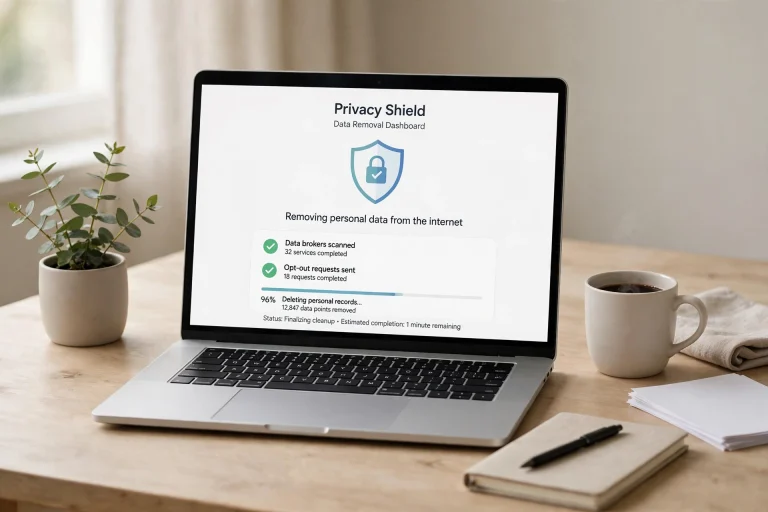
Many sites compile addresses, phone numbers, and relatives from public records and sell the result. Most allow you to opt out through a form, though you may need to do it for each site and repeat it later. Our guide to removing yourself from the internet covers the process in detail.
For serious or legal issues
If content is defamatory, involves harassment, or violates copyright in your own photos or writing, consider talking to a lawyer or a relevant support organization. Laws differ by country, and a professional can advise on the best route. Avoid paying services that guarantee to wipe results from the internet, since no one can promise that.
Step 7: Build a Stronger, Accurate Presence
You usually cannot remove every unflattering result, but you can make sure good results come first. Search engines tend to favor established, relevant, regularly updated pages.
- Complete a professional profile. A full LinkedIn profile or equivalent often ranks well for names.
- Create a personal website or portfolio. Even a one-page site with your name, a short biography, and links to your work can rank highly for your name.
- Publish useful work. Articles, projects, talks, or case studies under your name add positive results.
- Use your real name consistently where appropriate. It helps search engines connect your profiles.
- Link your profiles together. Add links between your site and profiles so that they support each other.
- Claim profiles on relevant platforms. Reserve your name even if you do not plan to use it daily.
If you run a business, manage your public reviews honestly. Reply professionally to criticism, ask satisfied customers to leave real reviews, and never buy or fabricate reviews. In many countries, fake reviews are against the rules and can lead to penalties.
Step 8: Protect Your Accounts Going Forward
A clean presence is easy to undo if someone takes over your accounts.
- Use a password manager with unique passwords for every account.
- Turn on two-step verification, ideally with an authenticator app or a security key.
- Check whether your email addresses appear in known data breaches, using a reputable service such as Have I Been Pwned, and change affected passwords.
- Review recovery email and phone numbers, and remove old ones.
- Remove third-party apps that still have access to your accounts.
- Be alert to phishing, which is the most common way accounts are stolen.
Step 9: Monitor and Maintain
An online presence is never finished. Set up light monitoring so you can react quickly.
- Set up search alerts. A free alert service for your name, nicknames, and perhaps your business can email you when new pages mention you.
- Repeat your name search every quarter. Add it to your calendar.
- Review privacy settings once a year. Platforms change settings and add features.
- Think before you post. A simple pause, asking whether you would be comfortable with this being found in five years, prevents most problems.
- Keep a log. Record what you have removed and requested, with dates, so you can follow up.
This fits well with a monthly digital cleaning routine, and with the larger habits in our digital minimalism guide.
A 7-Day Cleanup Plan
| Day | Task | Time |
|---|---|---|
| 1 | Search yourself in private mode and record the results | 30 minutes |
| 2 | List all accounts and decide which to keep | 45 minutes |
| 3 | Delete unused accounts and remove old connected apps | 45 minutes |
| 4 | Tighten privacy settings on your main platforms | 45 minutes |
| 5 | Review old posts, photos, and tags; remove what you do not want | 60 minutes |
| 6 | Send removal requests; opt out of data brokers | 60 minutes |
| 7 | Update your professional profile; set up alerts; enable two-step verification | 45 minutes |
Common Mistakes to Avoid
- Making everything private and calling it done. Private settings do not fix public search results.
- Deleting without saving. Download any photos or records you want to keep first.
- Paying for miracle services. No one can guarantee wiping the internet, and some services are scams.
- Ignoring old accounts. The forgotten ones often cause the biggest surprises.
- Posting angry replies to bad content. It can draw more attention. Request removal calmly or build positive results instead.
- Using different names and photos everywhere. Consistency helps people find the real you.
- Doing it once. Presence changes constantly. Review at least yearly.
Key Takeaways
- Search yourself in private mode, across several engines, to see what strangers see.
- List and delete old accounts, then tighten privacy on those you keep.
- Clean up old posts and tags, and ask site owners or search engines to remove what you cannot delete.
- Build accurate professional profiles so good results outrank bad ones.
- Protect your accounts, set up alerts, and review everything on a regular schedule.
Knowing how to clean up your online presence gives you something valuable: confidence that what people find is accurate and chosen by you. Start with the search in Step 1 today. You may be surprised by what you find, and by how quickly a few small fixes make a visible difference. Make it a yearly habit and your online reputation will take care of itself.
Frequently Asked Questions
How do I clean up my online presence?
Search your name, usernames, email, and phone number in private browsing, list and delete unused accounts, tighten social media privacy, remove old posts and tags, request removal of unwanted results, build accurate professional profiles, and set up alerts to monitor changes.
How do I remove old posts and photos from social media?
Review your profile and activity log, delete or archive items you no longer want, use the platform’s limit-past-posts or bulk tools where available, and untag yourself from other people’s photos. Be careful which third-party apps you authorize for bulk deletion.
Can I get something removed from Google search results?
Sometimes. The best route is removing it at the source. Google also offers tools to request removal of outdated results and of results showing personal contact information, and EU and UK law provides a right to request delisting in some cases.
How do I find all my old online accounts?
Search your email for welcome and verification messages, check your password manager and browser saved logins, review sign in with Google, Apple, and Facebook connections, and list old platforms such as blogs, forums, and gaming sites.
Will employers check my social media?
Many employers and recruiters search candidates online, so it is sensible to audit what appears when someone searches your name and to adjust privacy settings and public content accordingly.
How do I push bad search results down?
Build up accurate, high-quality content under your name, such as a complete LinkedIn profile, a personal website, and published work, and link them together. Search engines tend to favor relevant, established, regularly updated pages.
Should I pay a company to clean my online reputation?
Be cautious. No company can guarantee wiping content from the internet. Many steps, such as deleting accounts, tightening privacy, and requesting removals, can be done for free. For defamation or harassment, consider a lawyer.
How often should I review my online presence?
Search your name every few months, review privacy settings and connected apps at least once a year, and set up alerts so you hear about new mentions.