Digital Minimalism: What It Is, Why It Works and How to Start (30-Day Plan)
Most of us did not decide to spend hours a day on screens. It happened gradually, one notification, one app, and one “quick check” at a time. Digital minimalism is a response to that drift. It is not about throwing your phone in a lake or rejecting technology. It is about choosing, on purpose, which digital tools earn a place in your life and using them in ways that serve your values rather than someone else’s business model.
This guide explains what digital minimalism is, where the idea comes from, how it differs from a digital detox or a simple decluttering session, and why it works. You will get a clear 30-day plan, specific settings for your phone and computer, advice for social media and email, a free self-assessment quiz, a checklist, and answers to the most common questions beginners ask.
Quick answer: what is digital minimalism?
Digital minimalism is a philosophy of technology use in which you focus your time online on a small number of carefully chosen activities that support what you value, and happily skip the rest. Computer science professor Cal Newport popularized the term in his 2019 book of the same name. In practice, it means auditing your apps and habits, removing what does not clearly help, and bringing technology back only with clear rules and a clear purpose.
What Digital Minimalism Really Means
The word minimalism can suggest bare walls and a single plant, but digital minimalism is not about owning as little as possible. It is about being deliberate. A digital minimalist might still use a dozen apps, watch films, and enjoy social media. The difference is that each tool has a defined role, is used on the person’s terms, and is judged by whether it genuinely improves life.
Newport’s central idea is that many popular apps are built to capture as much of your attention as they can, and most people drift into using them without ever deciding whether the trade is worth it. A digital minimalist reverses that default. Instead of asking whether an app offers any benefit at all, they ask whether it is the best way to get a benefit they care about, and whether the cost in time and focus is worth it.
The three principles
Newport describes several core beliefs behind the approach, which can be summarized in plain terms:
- Clutter has a cost. Every extra app, feed, and notification takes a little attention and time. Together the cost is large, even when each item seems harmless.
- Optimization matters. Using a tool is not enough. How you use it decides whether it helps. A small tweak, like turning off notifications, can change the experience entirely.
- Intentionality is satisfying. Making choices on purpose feels better than drifting, and that feeling reinforces the habit.
Digital Minimalism vs Digital Detox vs Digital Decluttering
These terms overlap, and people often use them interchangeably. They are related but not identical.
| Approach | What it is | Typical length | Best for |
|---|---|---|---|
| Digital detox | A short break from devices or certain apps | A weekend to a few weeks | Resetting after burnout or overuse |
| Digital decluttering | Cleaning up files, apps, accounts, and inboxes | An afternoon to a few weeks | Reducing mess and freeing storage |
| Digital minimalism | A lasting philosophy and set of rules for technology use | Ongoing | Changing your relationship with technology for good |
Think of a detox as a reset button, decluttering as housekeeping, and minimalism as the lifestyle that keeps both working. If you want a gentle first step, try our 7-day digital detox plan, then come back here to turn the reset into lasting habits. For the housekeeping side, start with our guide on how to declutter your digital life.
Why Digital Minimalism Works
People who try it often report that the benefits show up quickly and build over time. The reasons are fairly straightforward.
It protects your attention
Attention is limited. Each interruption, even a glance at a notification, pulls you out of what you were doing and takes time to recover from. Fewer interruptions mean longer stretches of focus and better quality work. Our article on how digital clutter slows you down goes into this cost in detail.
It returns time you did not realize you were spending
Small checks add up. Even forty brief visits to your phone a day, at a minute each, would cost you the best part of an hour. Many people are surprised when they see their actual screen time for the first time. Our guide to how many hours a year we spend on screens shows how fast it multiplies.
It improves how you feel about your time
Time spent on purpose tends to feel better than time spent on autopilot. Replacing passive scrolling with calls, hobbies, reading, exercise, or rest often leaves people feeling calmer and more present. Results vary from person to person, and some people use social tools in ways that are genuinely good for them. The point is to choose, not to follow a rule.
It reduces decision fatigue and mess
Fewer apps, subscriptions, accounts, and notifications mean fewer things to manage. That helps with money too, as our guide on managing digital subscriptions shows.
It can help sleep and relationships
Keeping phones out of the bedroom and off the dinner table are simple changes that many people find improve sleep routines and conversations. If you have trouble sleeping or feel distracted around family, these are two of the best places to begin.
Take the Digital Minimalism Self-Assessment
Tick every statement that is true for you. This is an informal quiz, not a medical or psychological test, but it gives you a useful snapshot of where to start.
How Digital Is Your Day?
Your 30-Day Digital Minimalism Plan
Newport's own approach is a month-long reset in which you step away from optional technologies, rediscover what you enjoy offline, and then reintroduce only what clearly earns its place. The plan below follows the same spirit, in a practical format that works alongside work and family.
Week 0: Prepare (two or three days before you begin)
- Write your reasons. One paragraph on why you want this. Keep it where you can see it.
- Define "essential." List the tools you truly need, such as work email, banking, maps, and messaging with family. Everything else is "optional" for the month.
- Check your baseline. Look at your current screen time on iOS or Android and note your top five apps.
- Tell people. Let friends and colleagues know you may be slower to respond on certain apps, and share a quick way to reach you in an emergency.
- Plan replacements. Choose offline activities for the free time: reading, walking, cooking, calling a friend, exercise, a hobby.
Week 1: Remove and quiet
- Delete or log out of optional apps, especially endless feeds and games. You can re-install any of them later.
- Turn off all notifications except calls and messages from real people. We cover the steps further down.
- Charge your phone outside the bedroom and use a basic alarm clock.
- Clear your home screen so it holds only tools, not entertainment.
Week 2: Rebuild your routines
- Choose set times to check email and messages, for example two or three times a day.
- Batch tasks such as bills, admin, and shopping so they do not leak into the whole day.
- Create a daily no-phone window, such as the first hour after you wake up or the evening meal.
- Start a replacement habit every day, even for 15 minutes.
Week 3: Clean up the background
- Do a file, photo, and inbox cleanup. Our digital declutter checklist guides you through it.
- Unsubscribe from newsletters and promotions you do not read. See how to mass unsubscribe from emails.
- Review your subscriptions and cancel what you do not use.
- Remove old accounts you no longer need.
Week 4: Reintroduce on purpose
This is the most important week. For each optional tool you removed, ask three questions before you bring it back:
- What specific value does it give me?
- Is this the best way to get that value?
- What rules will I follow to keep it from taking over?
If you cannot answer all three, leave it off. If you can, bring it back with its rules. For example: "I use this social app on my laptop only, for thirty minutes on Saturday, to keep up with friends." Write the rules down.
Set Up Your Phone for Digital Minimalism
Your phone is where most of the work happens. These settings make the biggest difference.
Audit notifications
Go through each app and turn off every notification that is not urgent or personal. A good rule is that a notification should come from a person or protect something time-sensitive, such as a delivery or security alert. On iPhone, open Settings, then Notifications. On Android, open Settings, then Notifications and app notifications. Also turn off badges, which are the red numbers that create constant small nudges.
Rearrange the home screen
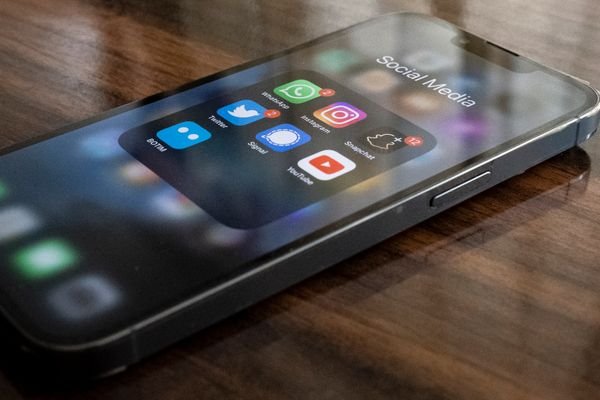
Keep only essential tools on the first screen, such as phone, messages, maps, camera, and calendar. Move social, news, and games into a folder on a later page, or remove them. If you have to search to open an app, you will use it less automatically.
Use focus tools
- iPhone: Screen Time shows usage and lets you set App Limits and Downtime. Focus modes let you filter which people and apps can notify you.
- Android: Digital Wellbeing offers app timers, Focus mode, and Bedtime mode.
Try grayscale
Switching the display to black and white makes the screen less appealing. On iPhone it is under Accessibility, Display and Text Size, Color Filters. On many Android phones it lives in Digital Wellbeing's Bedtime mode or in accessibility settings. Many people use it during the evening only.
Clean up apps and storage
Delete apps you have not opened in a few months. Fewer apps mean fewer distractions and more free space. Our phone declutter checklist takes you through it in 30 minutes.
Charge outside the bedroom
Buy a simple alarm clock and charge the phone in another room. This one change often improves both sleep and mornings.
Digital Minimalism on Your Computer and Browser
- Use focused browser profiles. Keep a work profile without social media bookmarks.
- Limit tabs and extensions. Our guide to browser declutter shows how.
- Block distractions. Use a site blocker during focused work, and use full-screen mode for writing and deep work.
- Clean your desktop. A clear desktop reduces visual noise. See how to declutter your computer.
- Schedule communication. Close email and chat between check times. Our article on Slack and Teams overload has tips.
Social Media Without the Spiral
Social media is the area where digital minimalism is most often misunderstood. You do not have to delete everything. You do need to decide what you want from it.
- Define the purpose. Keeping in touch with distant friends, promoting your work, or following a hobby are clear purposes. Killing time is not.
- Curate ruthlessly. Unfollow accounts that leave you feeling worse or that you follow out of habit. Mute where unfollowing feels awkward.
- Move it off your phone. Use social apps on a computer, with a timer, rather than in your pocket all day.
- Replace likes with conversations. A direct message or phone call has more value than a click.
- Take a structured reset. Our 30-day unfollow and reset challenge walks you through it day by day.
What to Do With the Time You Get Back
Many people stumble here. If you remove screens and leave an empty gap, you will drift back. Plan what fills the time, and make it easy and appealing.
- Physical activity: walks, a sport, stretching, or a class.
- Crafts and making things: cooking, woodwork, drawing, gardening, music.
- Reading: keep a book where your phone used to be.
- In-person time: invite someone for coffee, a walk, or a meal.
- Solitude: time with your own thoughts, without audio or screens, is surprisingly valuable.
- Learning: an evening course, a language, or a skill with a clear goal.
Choose activities that have a clear start and finish, are somewhat challenging, and require effort. These tend to be more satisfying than passive consumption.
Handling Work, Family and Real-World Constraints
Few people can disconnect entirely. Here is how to apply the ideas realistically.
- If your job requires being online: keep digital minimalism in your personal life and use structure at work, like scheduled email windows and muted channels.
- If you have children: model the habits you want. Agree on phone-free times for the whole household.
- If you use technology for caring or safety reasons: keep those tools, and set clear rules for everything else.
- If friends rely on one app: tell them you will reply at certain times, or move the key conversations to messages or calls.
Common Mistakes to Avoid
| Mistake | Why it fails | Better approach |
|---|---|---|
| Quitting everything at once | Too hard to sustain, and you rebound | Start with notifications and two or three apps |
| No replacement activities | The gap pulls you back to the screen | Plan offline activities before you start |
| Relying on willpower alone | Apps are built to be hard to resist | Change your environment: delete, mute, relocate |
| Reinstalling everything at the end | Habits return exactly as before | Reintroduce only with purpose and rules |
| Treating it as a one-time event | Drift is gradual | Review monthly and adjust |
| Feeling guilty about slips | Guilt makes people give up | Notice, adjust, and carry on |
A Simple Digital Minimalism Checklist
- Written down why I want to change my technology habits.
- Reviewed my screen time and top apps.
- Turned off nonessential notifications and badges.
- Cleared my phone's home screen of distractions.
- Charging my phone outside the bedroom.
- Set times to check email and messages.
- Deleted or logged out of optional apps for 30 days.
- Chosen replacement activities.
- Unsubscribed from clutter and canceled unused subscriptions.
- Reintroduced each tool with a purpose and rules.
- Booked a monthly review.
Key Takeaways
- Digital minimalism means using a small set of carefully chosen tools for specific, valued purposes.
- It is a lasting approach, whereas a detox is a short reset and decluttering is housekeeping.
- A 30-day plan of preparing, removing, rebuilding, cleaning, and reintroducing on purpose gives you a path to follow.
- Notifications, the home screen, and the bedroom are the highest-impact places to begin.
- Plan what you will do with the time you get back, and review your habits every month.
Digital minimalism is not about perfection, and it is not anti-technology. It is about making sure your tools work for you. Start small today: turn off five notifications, charge your phone outside the bedroom tonight, and pick a day to begin your 30-day plan. Your time and attention are the most valuable things you have, and you deserve to decide how they are spent.
Frequently Asked Questions
What is digital minimalism in simple terms?
Digital minimalism is using technology deliberately: keeping a small number of tools that support what you value, and removing or limiting everything else. The term was popularized by Cal Newport in his 2019 book Digital Minimalism.
How do I start digital minimalism?
Begin by reviewing your screen time, turning off nonessential notifications, clearing your phone's home screen, and charging your phone outside the bedroom. Then follow a 30-day plan: remove optional apps, build new routines, clean up, and reintroduce tools only with a clear purpose.
Is digital minimalism the same as a digital detox?
No. A digital detox is a short break from devices or apps, while digital minimalism is a long-term philosophy for how you use technology. A detox can be a first step toward minimalism.
Do I have to delete social media to be a digital minimalist?
No. Digital minimalists decide what purpose social media serves for them and use it only in ways that support that purpose. Many keep it, but with fewer follows, no notifications, and set times.
How long does it take to build digital minimalist habits?
A 30-day reset gives you a strong start, and many people see changes in focus and mood within the first couple of weeks. Maintaining the habits is an ongoing process that you adjust over time.
What are the benefits of digital minimalism?
Common benefits include better focus, more free time, less stress from notifications, better sleep when phones leave the bedroom, fewer subscriptions and less clutter, and more time for hobbies and relationships. Individual results vary.
What apps should a digital minimalist keep?
Keep tools that clearly support your needs and values, such as communication with people you care about, navigation, banking, work tools, and learning or health apps you use deliberately. Remove or limit endless feeds and games.
Can I be a digital minimalist if my job requires being online?
Yes. Apply the principles to your personal life and structure your work use with scheduled email windows, muted channels, and focused work blocks.