Digital Decluttering Made Simple for Everyday Users
Step-by-step guides to clean your phone, email inbox, laptop, photos, apps, passwords, and cloud storage — without stress.
Welcome to TheDigitalClutter.com, your practical resource for digital decluttering, digital minimalism, and simple tech organization. We help everyday users clean up digital clutter, organize their digital life, reduce email overload, delete unused apps, manage files, free up storage, and build healthier digital habits.
If your phone feels full, your laptop is slow, your inbox is overflowing, or your cloud storage is messy, our beginner-friendly guides show you exactly what to do — one simple step at a time.

Why Digital Decluttering Matters in 2026
In 2026, most people use multiple devices every day — phones, laptops, tablets, email accounts, cloud storage, apps, calendars, downloads, and photo libraries. Over time, these digital spaces become crowded with duplicate files, unread emails, old screenshots, unused apps, messy folders, spam, notifications, and forgotten accounts.
This digital clutter can make your devices slower, your work harder, and your mind more distracted. The goal of digital decluttering is not just to “get organized.” It is to keep less, save what matters, remove what you no longer need, and create a cleaner digital life.
At The Digital Clutter, we help you:
Organize Files on Your Phone, Computer, and Cloud Storage
Create a simple digital filing system for your documents, downloads, desktop files, Google Drive, iCloud, Dropbox, OneDrive, and external backups.

Reduce Email Overload and Reach Inbox Zero
Clean up your inbox, archive old emails, delete spam, unsubscribe from mailing lists, use filters, and build an email management routine that saves time.

Delete Duplicate Files, Photos, and Downloads
Find and remove duplicate photos, old screenshots, unnecessary downloads, large files, and clutter that takes up valuable storage space.

Manage Apps and Notifications
Uninstall unused apps, turn off distracting notifications, organize your home screen, and create a cleaner phone setup for better focus.

Improve Digital Security
Use secure passwords, close unused accounts, back up important documents, remove old data, and protect your digital information with smarter cleanup habits.

Build a Minimal and Distraction-Free Digital Lifestyle
Limit screen time, take digital breaks, reduce digital noise, and use technology with more intention.
Our Mission — A Cleaner, Faster, More Productive Digital Life
The Digital Clutter helps you take control of your digital space with clear, practical, and beginner-friendly systems. Our mission is to make digital decluttering simple for people who feel overwhelmed by files, emails, apps, photos, passwords, and devices.
We create helpful guides for users who want:
Our content is designed for real people, not tech experts. Whether you are a student, remote worker, business owner, parent, freelancer, or everyday phone user, our guides help you clean up your digital life without making the process complicated.
What You’ll Find on TheDigitalClutter.com
Watch Us on YouTube: The Digital Clutter
Prefer to learn by watching? Our YouTube channel has quick, practical videos on cleaning up phone and computer storage, organizing files, and clearing digital clutter step by step.
Windows C Drive Full? Free Up Space Fast
Digital Decluttering for Beginners: 7 Days
Mac Storage Full? Declutter Your Mac
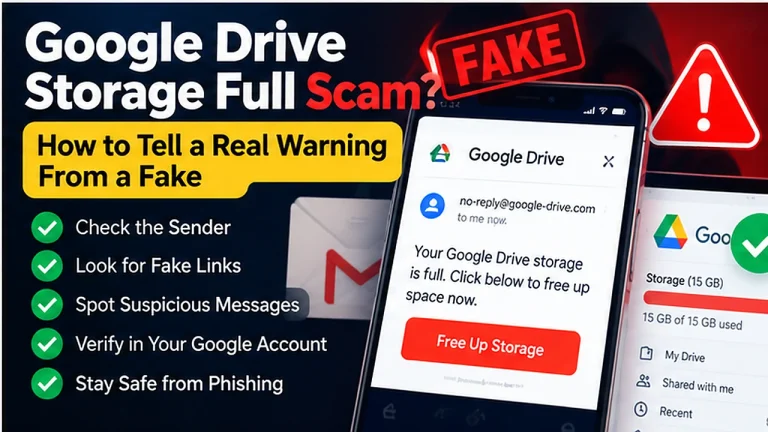
Google Drive Storage Full But No Files?
Latest Uploads
1: Digital Decluttering Guides
Learn how to clean up digital clutter step by step. Our digital decluttering guides help you remove unnecessary files, organize your desktop, clean your downloads folder, delete duplicate files, manage photos, and create a digital organization system that is easy to maintain.
You will learn how to:
- Remove duplicate files
- Organize photos and screenshots
- Clean up iPhone and Android storage
- Declutter your desktop
- Empty your downloads folder
- Set up a simple folder system
- Back up important documents
- Delete files mindfully without losing important data
2: Digital Declutter Checklist
A digital declutter checklist gives you a simple routine to follow daily, weekly, or monthly. Instead of trying to clean everything at once, you can use small steps to keep your digital life simple.
Our checklist-style guides cover:
- Deleting unnecessary files
- Archiving or deleting emails
- Unsubscribing from mailing lists
- Closing unused accounts
- Creating secure passwords
- Backing up documents
- Uninstalling unused apps
- Cleaning cloud storage
- Emptying trash folders
- Taking regular digital breaks
3: Productivity Tips and Time Management
Digital clutter is one of the biggest productivity killers. Too many notifications, messy folders, unread emails, and scattered apps can make it harder to focus.
Our productivity guides help you:
- Reduce digital distractions
- Improve workflow
- Prioritize tasks effectively
- Manage time more efficiently
- Build deep work habits
- Create a distraction-free digital workspace
- Spend less time searching for files
- Use simple time management strategies to stay focused at work, school, and home
4: Inbox Zero and Email Management
If you have thousands of unread emails, old newsletters, promotions, spam, and work messages, your inbox can quickly become stressful. Our email management guides help you clean up your inbox and build a system you can actually maintain.
You will learn how to:
- Archive or delete emails
- Set up filters and labels
- Unsubscribe from unwanted emails
- Clean spam and promotional messages
- Batch process email faster
- Organize important messages
- Reach Inbox Zero without stress
- Keep your inbox tidy long term
5: Cloud Storage and File Organization
Cloud storage is useful, but it can become messy when files are saved without a clear system. We teach simple cloud storage organization methods for personal, school, and work files.
Our guides cover:
- Google Drive organization
- iCloud storage cleanup
- Dropbox file management
- OneDrive organization
- External hard drive backups
- File naming systems
- Folder structure ideas
- Safe document backups
- Cloud storage cleanup routines
- Organized digital files
6: Digital Minimalism Lifestyle
Digital minimalism is about using technology with intention. It helps you reduce digital noise, limit screen time, remove unnecessary apps, and create a calmer digital environment.
Our digital minimalism content helps you:
- Limit screen time
- Take digital breaks
- Turn off non-essential notifications
- Delete unused apps
- Simplify your phone home screen
- Reduce social media distraction
- Build healthier tech habits
- Create a clean and simple digital lifestyle
- Practice mindful technology use to improve focus, reduce stress, and create better digital habits
7: Device Cleanup and Speed Optimization
A cluttered phone, laptop, or computer can feel slow and frustrating. Our device cleanup guides help you safely remove unnecessary files and improve performance without deleting important data.
You will learn how to:
- Clean up iPhone storage
- Clean up Android storage
- Speed up Windows
- Speed up Mac
- Remove bloatware
- Clear cache safely
- Delete large unused files
- Improve phone performance
- Free up laptop storage
- Keep your devices running smoothly
8: Digital Privacy and Online Security
A clean digital life is also a safer digital life. Our digital privacy guides help you protect your personal data, manage secure passwords, close unused accounts, and build safer online habits.
You will learn how to:
- Create secure passwords
- Close unused online accounts
- Protect personal data
- Clean up old logins
- Backup important files safely
- Improve online privacy
- Use safer digital habits
- Reduce digital security risk
- Manage password security
- Prevent data leaks
Start Cleaning Your Digital Life Today
Digital decluttering does not have to be stressful. Start with one small area: your inbox, desktop, downloads folder, phone storage, photos, apps, or cloud files. Spend 10 to 15 minutes cleaning one digital space, then build a simple routine you can repeat.
TheDigitalClutter.com gives you practical guides, checklists, and digital organization tips to help you save time, reduce stress, improve focus, and enjoy a cleaner digital life.
-
Evidence-Based Digital Decluttering: What Research Says Actually Works
What does research really say about digital decluttering? A ranked look at notifications, email, sleep, social media and detoxes, with a 6-week plan to try.
-
Screen Time Hours Per Year: Calculator, Chart and How to Take Back Your Time
Calculate your screen time per year, see what daily hours add up to, and follow a practical plan to cut unplanned screen time and get days of your life back.
-
How Much Storage Do I Need? Phone, Laptop and Cloud Storage Guide (with Calculator)
How much storage do you need on your phone, laptop and in the cloud? Real file sizes, a free calculator and simple recommendations with room to grow.
-
The Laptop Diet: 10 Steps to Speed Up a Slow Laptop (Windows and Mac)
A 10-step laptop diet to speed up a slow Windows or Mac laptop: diagnose, free storage, trim startup apps, tame the browser, cool it down and know when to upgrade.
-
Digital Decluttering for Midlife and Seniors: A Simple 4-Week Plan for Photos, Email and Accounts
A gentle 4-week plan to digitally declutter in midlife and later: photos, email, passwords, subscriptions, scam safety and an emergency sheet for family.
-
How to Search Inside Files: Find Any Text in Documents, PDFs and Folders (Windows, Mac, Linux)
How to search inside files on Windows, Mac and Linux: indexing, content search operators, free tools, PDF and OCR tips to find any text in seconds.


-
How to Organize Freelance Contracts Digitally: A Simple System for Independent Workers
How to organize freelance contracts digitally: folder structure, file naming, a contract tracking sheet, e-signatures, reminders, confidentiality and archiving.
-
How to Store Tax Documents Digitally: A Safe, Searchable System That Lasts
How to store tax documents digitally: what to keep and for how long, how to scan, name, secure and back up records, with a free retention-date calculator.
-
How to Organize Cloud Storage: A Simple System for Google Drive, iCloud, OneDrive and Dropbox
How to organize cloud storage: assign each service a job, build a simple folder structure, name files for search, migrate safely, secure sharing and keep it tidy.
Featured Digital Organization Guides
Explore practical digital organization guides covering inbox management, cloud storage, productivity and device cleanup. These trending articles focus on inbox zero, file organization, productivity tools, and building a clutter-free digital lifestyle.